
- Since October 17, 2026, companies covered by Spain’s Customer Service Act (Law 10/2025) can only make sales calls from 400 numbers. Customers know it’s a sales pitch before they answer, and they can’t call back.
- Unanswered calls cost hours of redialing and, when the delay drags on, renewals and deals that go to whoever called first.
- A WhatsApp call comes from the chat the customer already has open with the business, and only if they’ve agreed to it first. On screen, they see the name and photo of a company they know.
- With Hubtype’s WhatsApp Calls, agents call from the same case, can send a link or document without hanging up, and everything discussed is saved for whoever picks up the sale or renewal next.
Key points
Given the choice between a call from a number they don't know and a WhatsApp message from a company they're already talking to, most customers go with the message. In Spain, the 400 prefix, which since October tells people a call is a sales pitch before they answer, only reinforces that habit. WhatsApp calls for business bring the two together: the call comes from the chat where the customer already replies, with their permission, from a profile they recognize.
We look at what the 400 prefix changes and what it costs a business when customers don't pick up. Then we explain how WhatsApp calls work, the rules Meta sets, and how Hubtype builds them in with WhatsApp Calls so the call lives in the same conversation as the chat.
Why are customers picking up the phone less and less?
Most of us have answered a call from an unknown number only to realize, a few seconds in, that someone was trying to sell us something. When that keeps happening, we stop answering. As customers, we've grown wary of numbers we don't recognize, and we pick up less and less.
And it happens a lot. In Spain, 59% of people received more than ten unwanted sales calls in a single month, according to the latest survey by OCU, the Spanish consumer organization. Hiya's State of the Call 2026 report puts the average at eight a week. In the same report, 86% of respondents across six countries, Spain among them, say they don't answer unidentified calls.
That habit doesn't tell spam apart from a sales rep trying to close a renewal or offer an upgrade. On the customer's screen, both are just an unknown number.
What does the 400 prefix change for sales calls?
The official answer to this distrust of unknown numbers is the 400 prefix. It's designed to protect consumers from the call they pick up without knowing who's on the line, only to find out a few seconds later it's a sales pitch.
Since October 17, 2026, companies covered by Spain's Customer Service Act (Law 10/2025) can only make sales calls from nine-digit numbers starting with 400.
With the prefix, a sales call is no longer an unknown number: the customer knows someone wants to sell them something before they answer.
More than ever, consumers get to decide whether to answer, let it ring, or ask their carrier to block every call starting with 400.
The law also separates two kinds of calls that many companies used to make from the same number:
- Calls that offer something go out through the 400 prefix.
- Calls that manage an existing contract or handle a query stay on customer service numbers.
There's one caveat: during a service call, a company can only make an offer if it's related to what the customer asked about and improves their price or terms.
In practice, a company calling to sell has to use a 400 number assigned by its carrier, and if it calls from any other number, the carrier can block the call. On top of that, 400 numbers are outbound only: if the customer misses the call, they can't call back.
The 400 prefix protects the customer and, for the business, makes the call easier to ignore.
What does it cost a business when customers don't pick up?
Every time a customer decides not to answer, the business loses time and money. Time, because the team spends hours trying again. Money, because in the meantime the offer or renewal goes cold, and the sales rep doesn't always get back in time to save it.
Picture a sales rep who needs to talk to a customer whose renewal is due in two weeks.
- They call on Monday morning. No answer.
- They try again in the afternoon. Nothing.
- Tuesday and Wednesday are taken up with other calls, and by the time they try again on Thursday, the customer has already received another offer.
Over those four days, the time goes into dialing, waiting, and noting who's still pending. And since the customer can't call a 400 number back, all the follow-up falls on the rep.
If you want to put a number on it, count the calls nobody answers in a month and multiply them by how long each one takes, from the moment the rep dials until they log it as pending. Those are hours your team didn't spend selling.
The delay costs too. Between Monday and Thursday, the customer's interest doesn't wait. If nobody walks them through the renewal in time, they let it lapse or renew with whoever called first. That cost rarely shows up in reports as "unanswered calls." It shows up later, as deals that don't close.
What are WhatsApp calls for business?
That's why many companies are moving the conversation to WhatsApp, where that same customer usually replies.
Some conversations still work better out loud, though, like when you need to explain an offer or clear up a question that could be misread in writing.
In those cases, the business has to go back to the phone and, with it, back to square one: a call the customer can let ring.
WhatsApp calls for business remove that trip back to the phone. They're voice calls a business makes to a customer from its WhatsApp Business number, inside the conversation they already have open and with the customer's permission. Meta offers them as the WhatsApp Business Calling API.
The big difference from a phone call is what happens before the phone rings: no business can call a customer on WhatsApp unless the customer has agreed to it in the chat first.
And the call works for both selling and service, the two situations the 400 prefix separates.
Every WhatsApp call has two sides. Meta provides the feature and its rules: permission, what the customer sees on their phone, and how each minute is billed. The official WhatsApp provider (BSP) connects those calls to the tool the team works in.
Hubtype is one of those providers, with WhatsApp Calls.
What WhatsApp Calls changes: before, during, and after the call
Given how hard it's become to reach a customer by phone, it's worth looking at what changes when the call comes from WhatsApp.
The call does the same job as a phone call, talking to the customer, but it completely changes how the customer receives it and how your team handles it:
Before answering: the customer recognizes who's calling
A 400 number tells the customer someone wants to sell them something, but not who's calling. A WhatsApp call gives them more to go on before they answer:
- Who's calling: the screen shows the name and profile photo of the company they're already talking to and, if the account is verified, the verification badge.
- What it's about: the call comes from a conversation they already know, so they know what it's for.
It's the same profile they see every time they open the chat, so they don't have to guess or google the number before deciding whether to pick up.
Knowing who's calling and why changes the decision. The same customer who lets an unknown number ring has more reason to answer when the call comes from a company they're already talking to and have given permission to call them. In the end, customers pick up for someone they recognize.
During the call: neither the customer nor the agent leaves the chat
When a customer answers a WhatsApp call, they stay in the conversation. They talk from the same app they use every day, inside the chat they already have open with the business, without downloading anything, creating an account, or saving a number.
And the chat keeps working while they talk. If the agent needs to send a link, a document, or a recap of what they're agreeing on, they send it in writing without hanging up. That matches what customers ask for: according to a LivePerson study cited by Meta, 76% of consumers want to be able to switch from a call to a message, and back, depending on what suits them at the time.
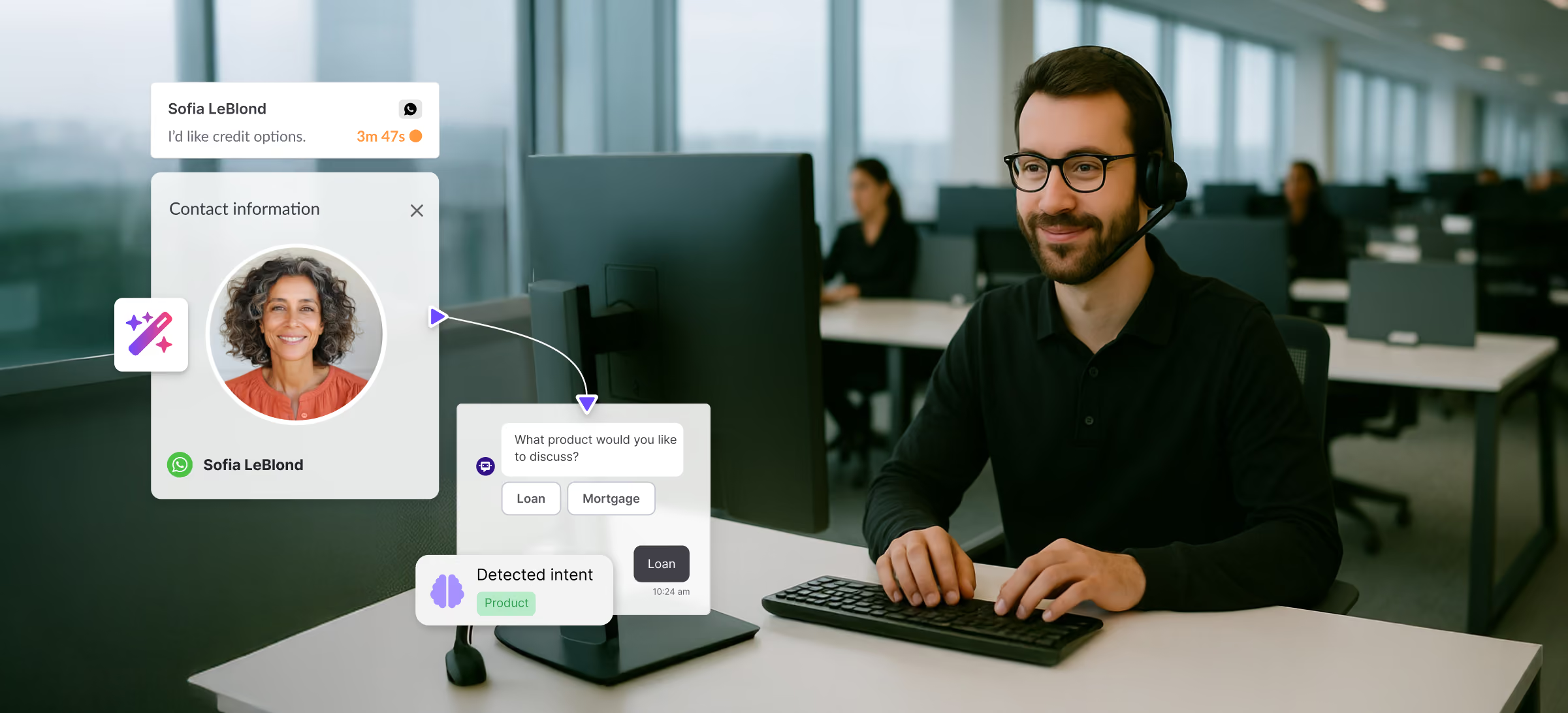
On the business side, the agent's experience depends on the tool the team uses. With WhatsApp Calls, for example, the agent doesn't switch tools: they call with one click from Hubtype's customer service platform, in the same case where they're handling the customer, with the whole WhatsApp conversation in front of them.
While they talk, they can keep messaging that customer and handling other customers' chats. The only things they can't do until they hang up are close the case, transfer it to another agent, unassign it, or block the user. That way the call isn't cut off by a change in how the case is handled. They don't have to look up the customer's number in another system or reread the chat on another screen before dialing.
After hanging up: nothing said gets lost
When the call ends, the customer is still in the same chat: if anything's left open, they reply in writing without starting over.
On the business side, what's kept from the call also depends on the tool. With WhatsApp Calls, for example, once the call connects, the start time, end time, and duration are logged right in the case. If the business has transcription turned on, the transcript is saved too.
If another agent picks up the case the next day, they'll find the chat, the call, and what was agreed in one place, without having to ask a teammate. And if a manager wants to review how a sale or renewal was closed, they don't depend on someone having written it down afterward.
At all three moments, the call is part of the same conversation: it starts in the chat, happens inside it, and leaves its trail there.
How do calls work with the WhatsApp Business API?
Everything that changes before, during, and after the call depends on one condition: the customer has agreed to be called.
That permission, and the rest of the rules for calls through the WhatsApp Business API, are set by Meta and are the same for every business and every provider:
Permission: the rule that gets customers to pick up
Before calling a customer on WhatsApp, the business has to ask for permission. WhatsApp requires it to prevent exactly what led customers to stop answering the phone in the first place: calls they never asked for.
Permission is requested in the same chat, with a message the business prepares and Meta approves in advance. The customer receives it and chooses to:
- Allow calls for 7 days.
- Always allow them.
- Decline them.
They can withdraw permission later. It's their call.
WhatsApp also stops businesses from pestering. If the customer misses two calls in a row, WhatsApp shows them a notice, and if they miss four, it revokes permission and the business has to ask again. It also caps permission requests at one per day and two per week for each customer.
What a business needs and what it costs
Asking for permission and making calls takes two things: a WhatsApp Business number connected to the API with calling turned on, and a permission request template approved by Meta.
Many businesses that already serve customers on WhatsApp have the first part covered, because their number is already connected. All they need to do is turn on calling and set up the template.
Once enabled, business-initiated calls work in every country where the WhatsApp API is available, except the United States, Canada, Egypt, Vietnam, and Nigeria. The country also sets the price: Meta bills each call per minute, in 6-second increments, at a rate based on the customer's country.
Which customers you can call on WhatsApp
With the number and template ready, the business can call any customer who has given permission, always within WhatsApp.
The call comes from the chat and reaches the customer's app, so it doesn't work for a landline or a phone without WhatsApp. For those customers, the business still needs the phone. And for now, calls are voice only, no video.
In practice, WhatsApp calls reach the customers who already talk to the business on WhatsApp, which are exactly the ones with a conversation the call can come from.
WhatsApp Calls: Hubtype's WhatsApp calling
Meta's rules are the same with any provider. What changes from one to another is whether the team has to leave its tool to make a call or can call from the same place it handles the chat.
WhatsApp Calls is how Hubtype brings WhatsApp calling into its customer service platform: the agent calls from the same case where they're talking to the customer, and the call is saved there.
What you set up in WhatsApp Calls
WhatsApp Calls is set up once, before the first call, and adapts to how each team works.
Calling is enabled at three levels:
- The organization.
- Each WhatsApp Business number.
- Each user.
That way the business decides which numbers calls go out from and which agents and supervisors can make them. Everyone else doesn't see the option.
You also prepare the two messages that go with every call:
- The permission request, the message asking the customer to accept calls. You set it up in as many languages as you need, so each customer gets it in theirs.
- The recording notice, which includes the reason calls are recorded and plays before each one. It allows up to 250 characters, and the shorter it is, the sooner the conversation starts.
How agents call from the Hubtype Inbox
Once everything's set up, the agent keeps working from the Hubtype Inbox like any other day. When a conversation calls for voice, they call from the same case where they're handling the customer, without looking up the number in another system or rereading the chat on another screen. And if there's no conversation yet, they can open a new case and start from there.
Before calling, they have to ask for permission. They send the request from the case header, in the customer's language, and the reply comes back in the same chat. If the customer accepts, the call button activates and the agent can call with one click for as long as permission is valid. All they need is microphone access enabled in the browser; without it, the button doesn't work.
When the call starts, Hubtype asks WhatsApp to record it, and both sides hear the notice before they start talking. From there, the agent sees the call in progress and the recording indicator, can mute the mic, and keeps messaging that customer, or handling other customers' chats, without hanging up. There are just a few things they have to leave for later: closing the case, transferring it to another agent, unassigning it, or blocking the user. That way the call isn't cut off by a change in how the case is handled.
A few limits to keep in mind. For now, the agent always starts the call, and each agent can have one active call at a time. And if the business provides service in Catalan, Meta doesn't support it for either the recording notice or the transcription: the call is still recorded, but the notice has to be in Spanish and Catalan transcription isn't reliable.
What's left after hanging up
When the call ends, it stays in the case next to the chat, with its summary. If another agent picks up the conversation the next day, they'll find what was discussed and agreed right there, without having to ask a teammate.
Every call is also saved in Hubtype's Call Logs, where admins and managers can see them all in one place. They can filter them, listen to the recording, read the transcript, and open the case each call came from. It's where a manager reviews how a sale or renewal was closed without depending on someone having written it down afterward.
From answered calls to closed renewals
The customer who lets an unknown number ring still talks to businesses. They've just changed channels. They write on WhatsApp, and that's where a call makes sense when something is easier to explain out loud.
In sales, Meta publishes a data point from the channel that backs this up: Cartão de Todos, a Brazilian discount program that uses WhatsApp calls for telesales, increased conversion by 26% and cut the average call time per sale in half.
With someone you don't have a conversation with yet, on the other hand, the call arrives without context and loses what makes it different. And if something can be solved with a message, it's better left in the chat.
When the call comes out of that conversation, with the customer's permission and from the profile of a company they know, it has a better chance of turning into a successful contact. And a timely contact is the one that can end in a sale or a renewal.
With WhatsApp Calls, that call also lives in the same tool where the team already handles the conversation. The agent calls from the case, and what's said is saved there, for whoever picks it up the next day and whoever needs to review how it was closed.
Call your customers from the same WhatsApp conversation where they already message you, with their permission, and keep it all logged in Hubtype. Talk to our team.