Test conversations in analytics, richer context, and automatic AI summaries
✨ What's new?
View Test Conversations in Analytics
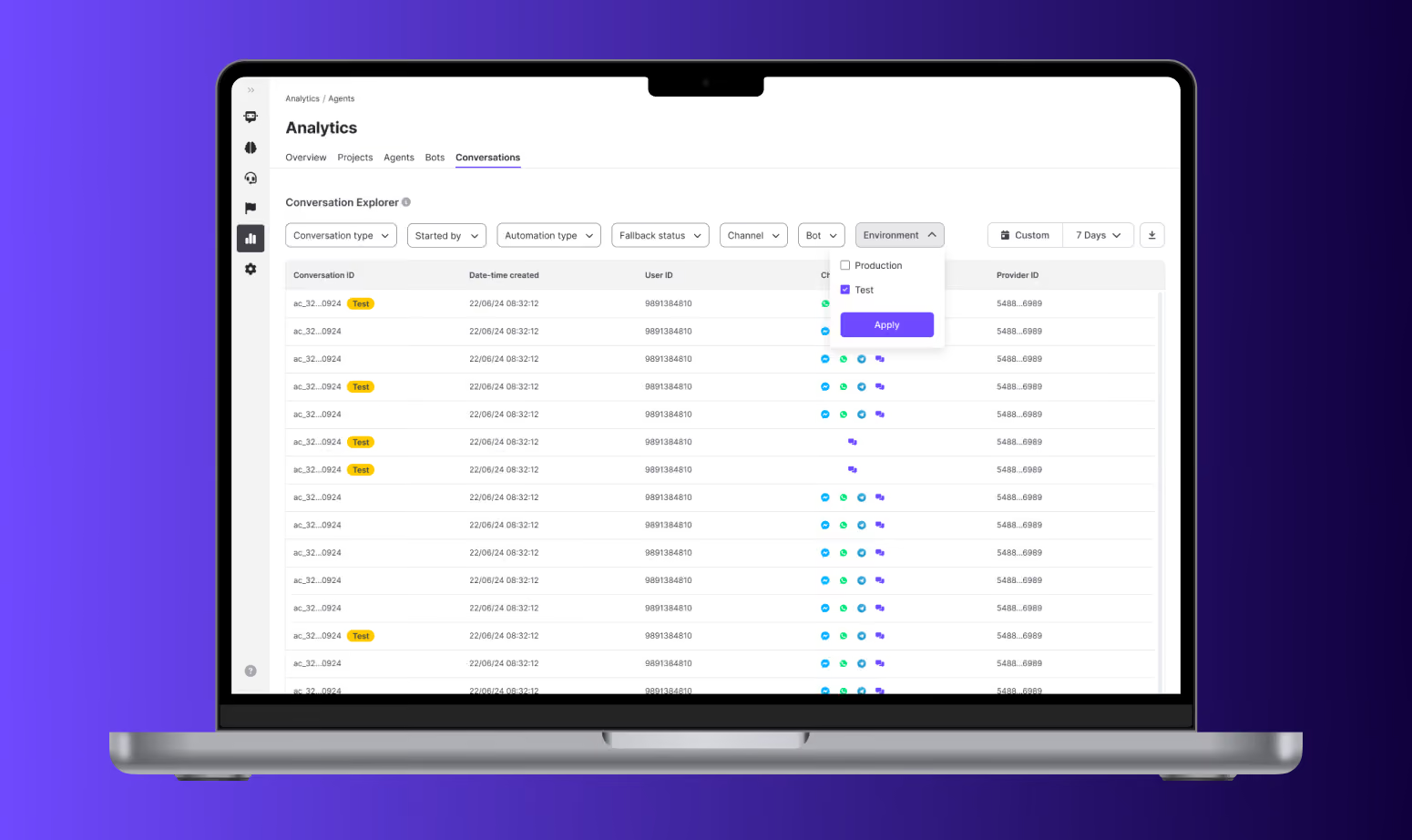
You can now see test conversations created from Staging bots in the Conversations section of Automation Metrics.
- Test conversations are clearly marked with a “Test” badge next to their Case ID.
- A new Environment filter lets you toggle between Production, Test, or both views.
Contact Info Now in Conversation Details
To give teams more context without jumping between systems, the Contact Info Fields (name, email, phone, etc.) are now shown directly in the Conversation Details panel. The layout mirrors the Inbox view, ensuring consistency across the platform.

⚡️ Improvements
- Multi-Select Status Filters: You can now filter by multiple agent statuses (e.g., Busy + Away) in the Realtime Agents Dashboard, allowing more targeted monitoring and removing noise from the default “All” view.
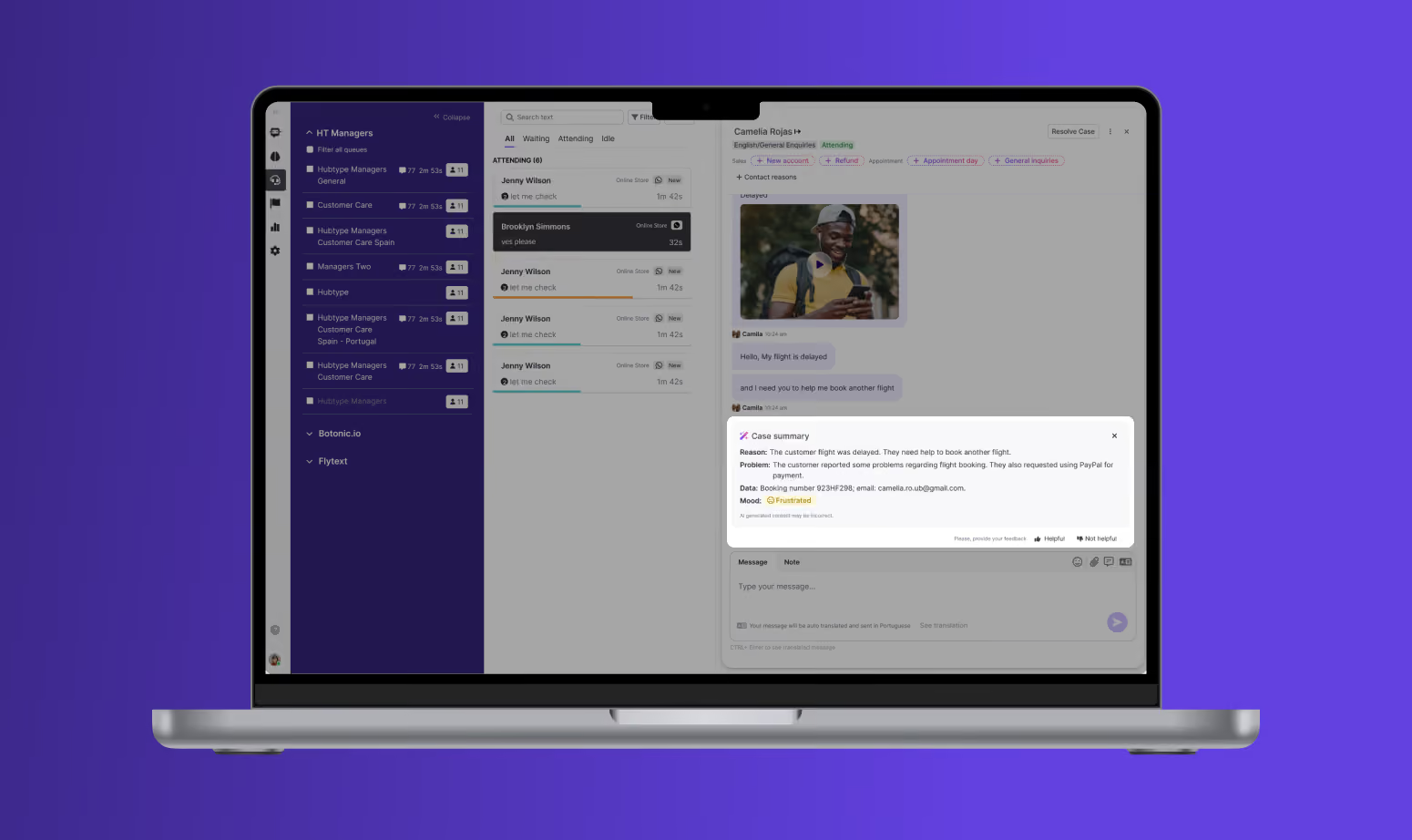
- AI Summary 3.0 – Now Auto-Generated: AI Summaries are now automatically generated as soon as an agent is assigned to a case, removing the need for any manual trigger. The updated UI includes a loading state while the summary is being created, and will show a clear error message—such as one indicating content policy issues—if the summary can’t be provided.