
Cleaner AI Translation, on-demand summaries, deeper Flow Builder inspection, improved analytics, and stability fixes
✨ What's new?
AI Translation: Cleaner Interface
AI Translation settings have moved into the text editor for a cleaner interface and better conversation visibility. Now that agents are familiar with the feature, they can access translation preferences directly while typing—keeping the chat window uncluttered while maintaining easy access whenever needed.

Smarter AI Summaries
We've brought back the manual "Generate Summary" button. Agents can now regenerate conversation summaries at any point with a single click—whether at key moments like after resolving an issue or whenever they need more relevant and actionable content.
Inspect Mode in Flow Builder Preview
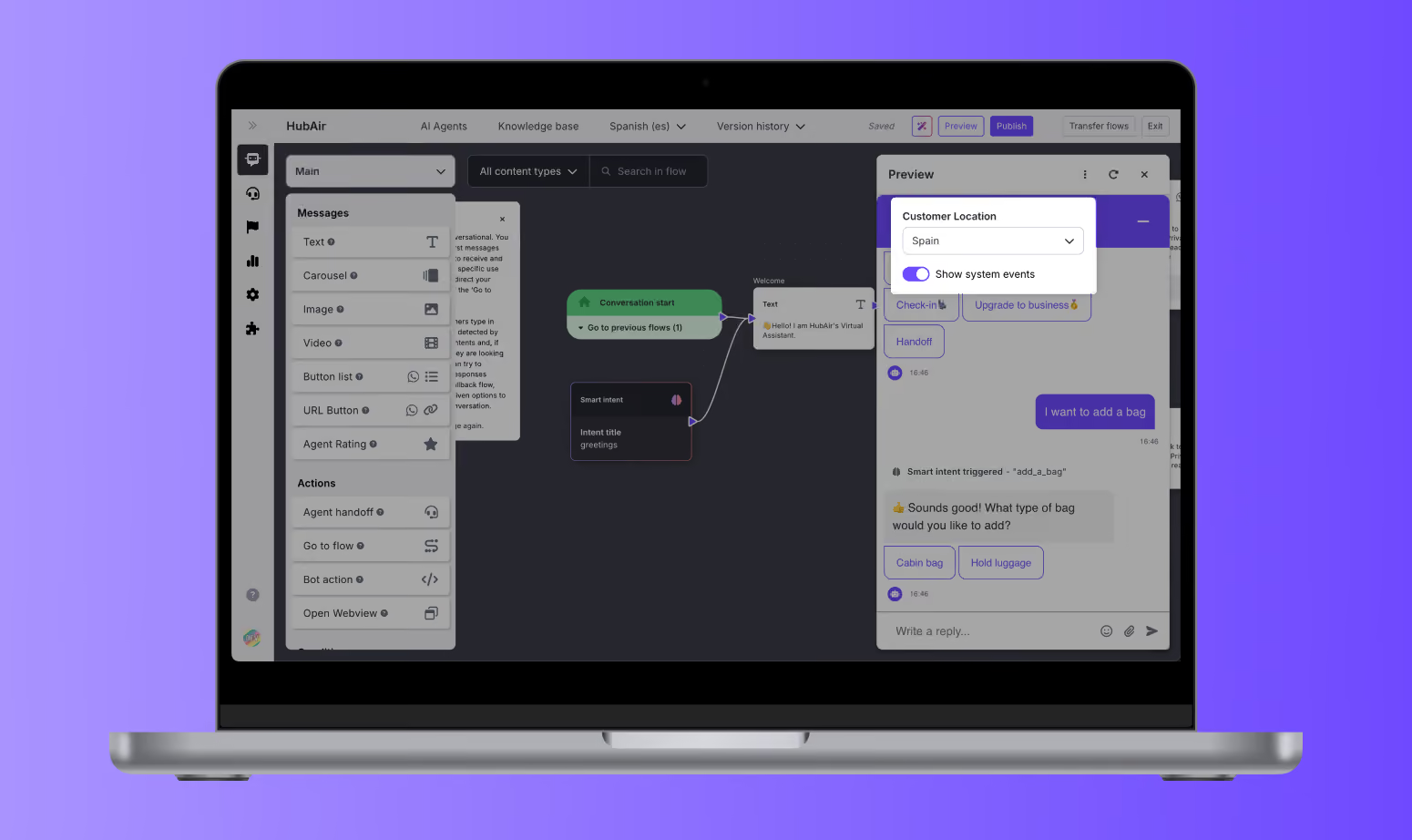
Inspector Mode in the Flow Builder Preview just got an upgrade. You can now see all system events triggered during a conversation, including flow redirects, bot actions, channel and queue checks, webview opens, and more. This gives you full visibility into how your logic behaves in real time, helping you test and troubleshoot with total confidence.
And now it’s even more flexible! You can choose to turn Inspector Mode on or off using the new toggle in the Preview menu. Whether you want a clean user view or a deep technical breakdown, you’re in control. The toggle remembers your last setting, so your workflow stays just the way you like it.
⚡️ Improvements
- Global Filtering in Cases tab, Analytics: Filters in the Cases Analytics tab (like project, queue, channel, or language) now apply across all views and charts—helping you keep data consistent and easier to analyze.
- All-Bot Selection for Automation Performance: For organizations managing multiple bots, the Automation Performance graph now supports viewing combined data from all bots in a single view. When enabled, other filters adapt automatically to avoid confusion.
🛠️ Bug Fixes
- Copy & Paste AI Agents Error: We resolved issues that occurred when duplicating AI Agents, ensuring that copied logic and settings now work smoothly without causing errors.
- Sticky Filters in Analytics: Analytics filters now retain your settings more reliably, making navigation between tabs and data views smoother and more predictable.