
AI Agent Router, WhatsApp Flows, and more
✨ What's new?
Route conversations to the right AI Agent
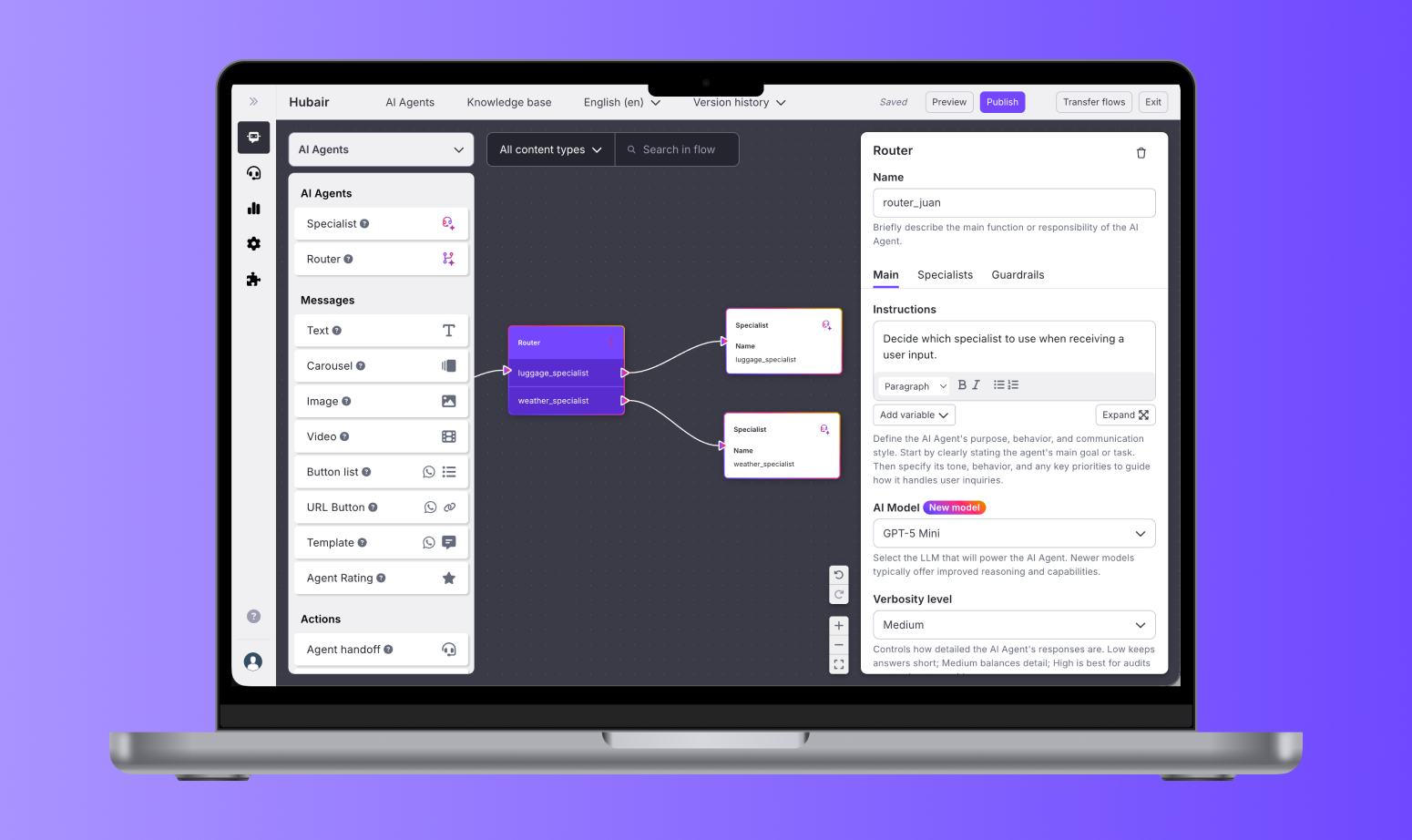
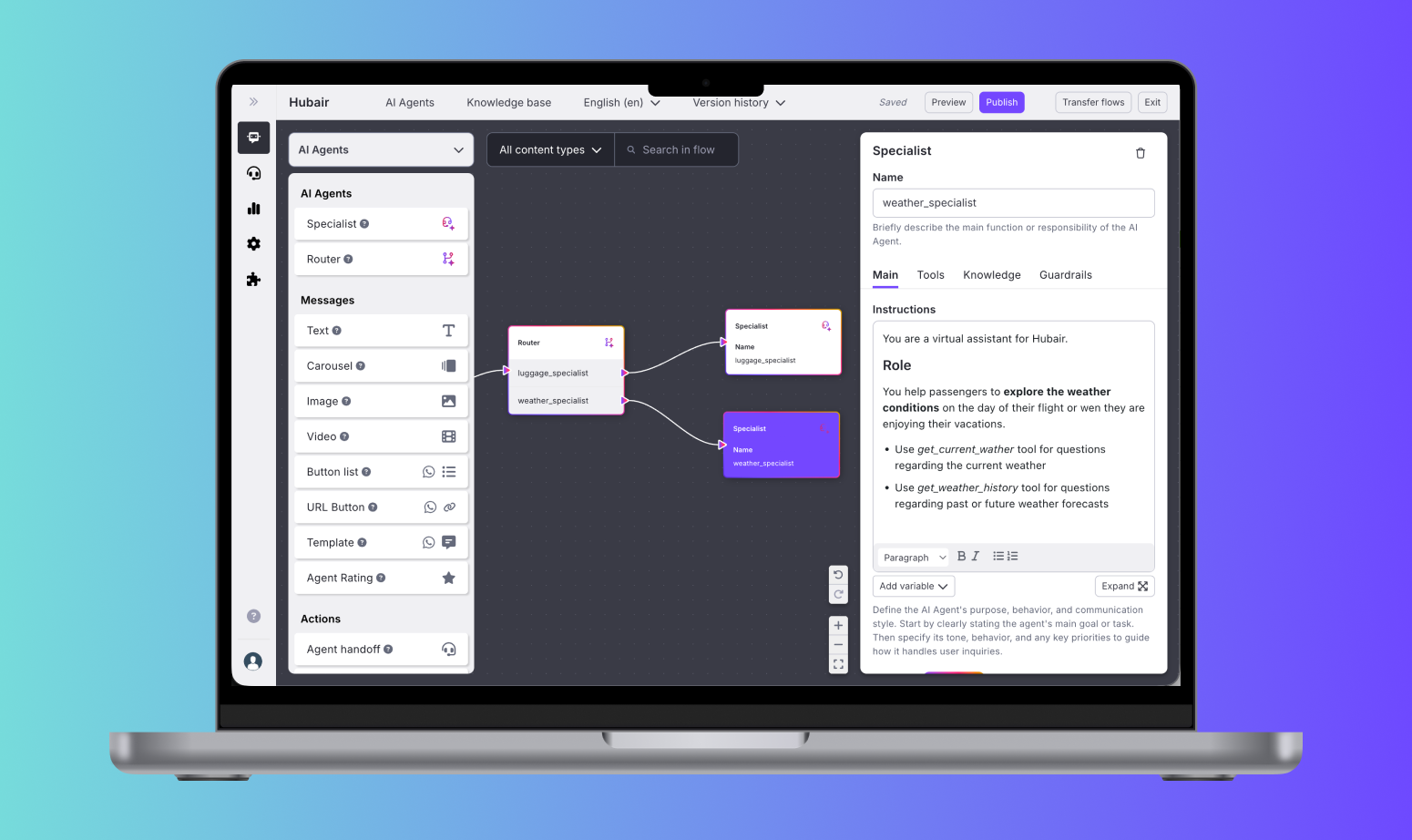
We’re introducing a more flexible way to build AI-powered conversations with multiple AI Agents working together.
With the new Router node, you can organize your flow into different Specialists. Each Specialist can have its own instructions, guardrails, tools, knowledge sources, and AI model, so it can focus on a specific task or area of expertise.
The Router analyzes the user’s message and the conversation context, then sends the conversation to the most relevant Specialist. This helps ensure users are supported by the right AI Agent at the right moment.
This approach makes it easier to manage complex AI experiences. Instead of maintaining one large prompt with all your logic, you can break it into smaller, focused Specialists and improve each one independently.
Build guided forms inside WhatsApp conversations
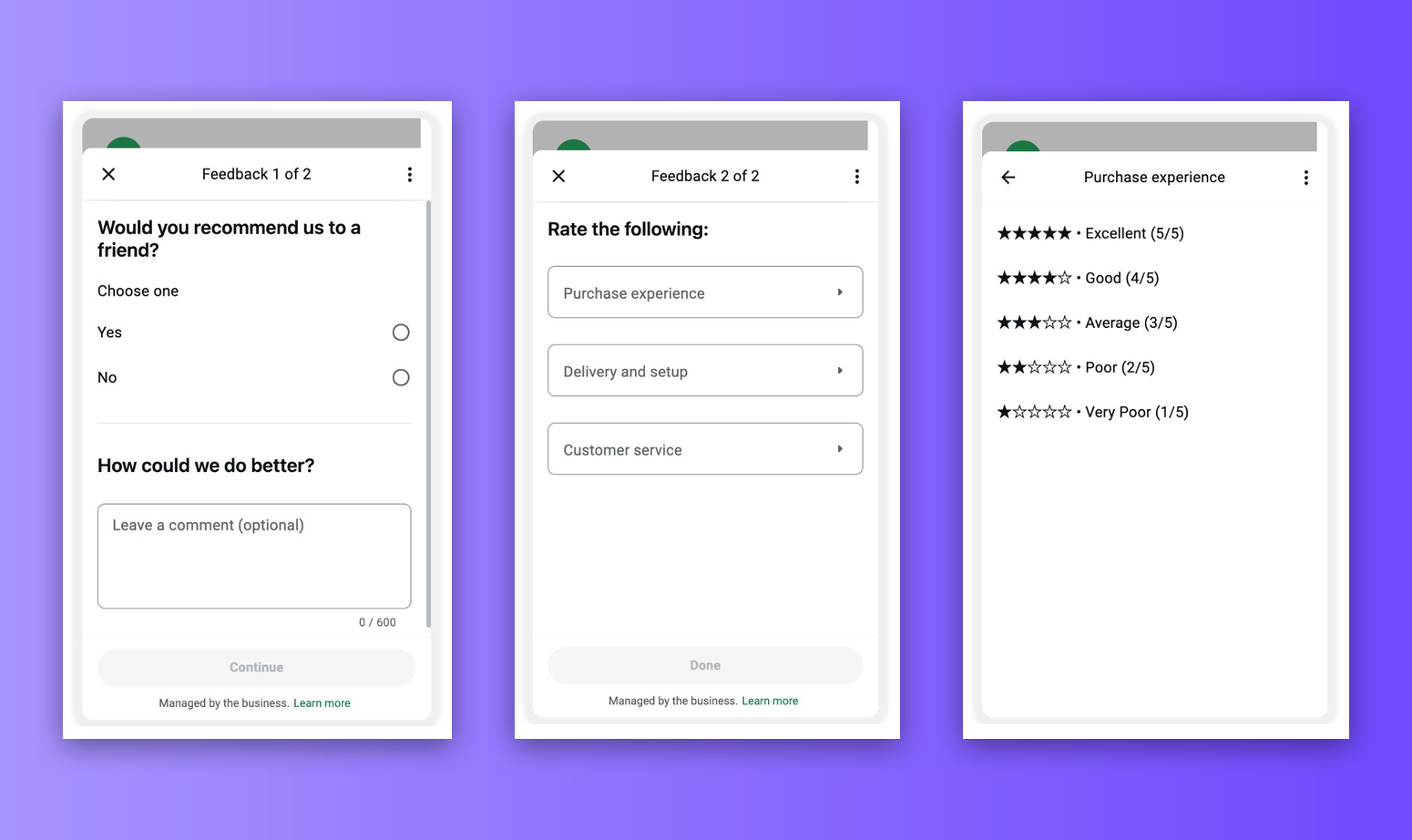
We’ve added support for WhatsApp Flows in Flow Builder.
You can now create structured, form-like experiences directly inside WhatsApp conversations, making it easier to collect multiple pieces of information in one guided interaction.
WhatsApp Flows are useful when you need users to complete steps such as submitting contact details, entering reference numbers, selecting options, or providing information for a request. Fields can use standard validation, including formats like email addresses and numeric codes, to help reduce errors before the user submits the flow.
You can also connect WhatsApp Flows to external APIs to retrieve live information during the conversation. For example, you can use them to support use cases such as order tracking, account lookups, appointment management, or other experiences that depend on real-time data.
Filter conversations by AI Agent tools and guardrails
We’ve added two new filters to the Conversations section in Analytics: Tools executed and Guardrails triggered.
You can use these filters to review conversations where an AI Agent used a specific tool or where a guardrail was activated. This makes it easier to understand how your AI Agents are behaving in real conversations, investigate unexpected outcomes, and identify which tools or guardrails may need adjustment.
For example, you can filter conversations to check whether a tool is being used correctly, review cases where a guardrail blocked or redirected an interaction, or spot patterns that could help you improve your AI Agent configuration.
Evaluator out of Beta
The Evaluator is now available in the Production Environment to all organizations with AI Agents.
- Clearer Naming: Renamed the feature to Evaluator
- Date Range Selector in KPIs: We've added a custom date range selector to the KPIs Overview Dashboard, replacing the previous "last 24h" only view. You can now analyze performance over any period that fits your reporting needs.
- Multi-select filters: We've enabled multi-select in the Conversation Panel filters. For example, you can now review conversations scored 1, 2, and 3 at the same time, instead of switching between filters one by one.
- 30-day trends graphs: We've added 30-day trend views for contact reasons and scores in the Free tier, giving more context to performance changes over time.
⚡️ Improvements
Markdown support in AI Agent instructions: You can now use markdown formatting in AI Agent instructions, including headings, lists, bold, and italics. This makes longer prompts easier to structure and maintain, especially when working with multiple Specialists.
Real-time saving in AI Agent configuration: Changes in AI Agent configuration are now saved automatically as you work. We’ve removed the save and cancel buttons to help prevent accidental data loss.
Variable selector for AI Agents: You can now reference bot variables more easily, allowing your AI Agent to adapt its behavior based on the data available in each conversation.
AI Agent preview shows routing decisions: The Preview now shows which Specialist handled each user message. This makes it easier to debug your Router setup and confirm that conversations are being routed to the right Specialist.
Inbox media carousel — zoom and open in new tab: Based on agent feedback, we've added two actions to the media carousel. Agents can now zoom into images directly within the carousel and open any image in a new tab for continuous reference while attending a case. Useful when reviewing details like tracking numbers, product codes, or screenshots shared by customers.
🛠️ Bug Fixes
Contact Info Fields visibility: We fixed an issue where some organizations saw contact info fields marked as AI captured even when the feature was not enabled.