
✨ ¿Qué hay de nuevo?
- Soporte personalizado de puntos finales y middlewares: Hemos introducido la compatibilidad con endpoints y middlewares personalizados, lo que proporciona a los desarrolladores una mayor flexibilidad para ampliar y personalizar el comportamiento de los bots mediante registros de decisiones arquitectónicas (ADR).
- Mejoras en el chat web: Hemos introducido un conjunto de nuevas herramientas para que tu chat web sea más profesional:
- Soporte Markdown: Pon negrita, cursiva y enlaces para una comunicación más clara.
- Componente de cubierta: Una nueva pantalla previa al chat para capturar información esencial del usuario, como referencias de reservas, antes de que comience el chat.
- Componente de calificación: Recopile los comentarios de los usuarios y mida la satisfacción directamente en la interfaz.
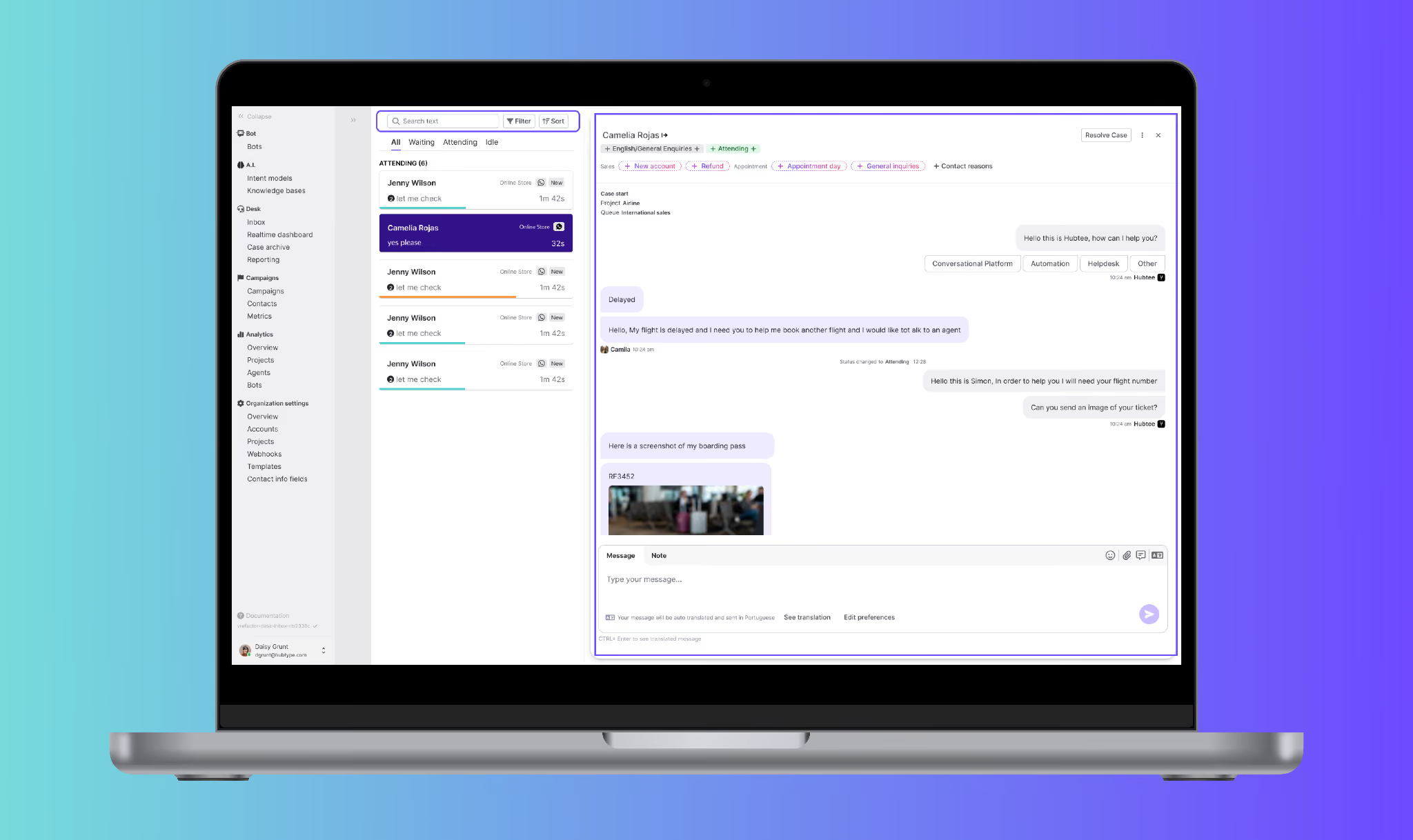
- Nueva área de chat: Inbox Refactor: Hemos rediseñado por completo la bandeja de entrada del chat para ofrecer una experiencia moderna y de alto rendimiento. Si bien todas las funcionalidades siguen siendo las mismas, la nueva interfaz de usuario ofrece un espaciado mejorado, una mejor legibilidad y una base para futuras innovaciones.
- Despliegue: Los agentes verán la nueva bandeja de entrada de forma predeterminada, pero pueden volver a la versión anterior hasta el 31 de marzo de 2026. La migración completa tendrá lugar el 1 de abril de 2026.
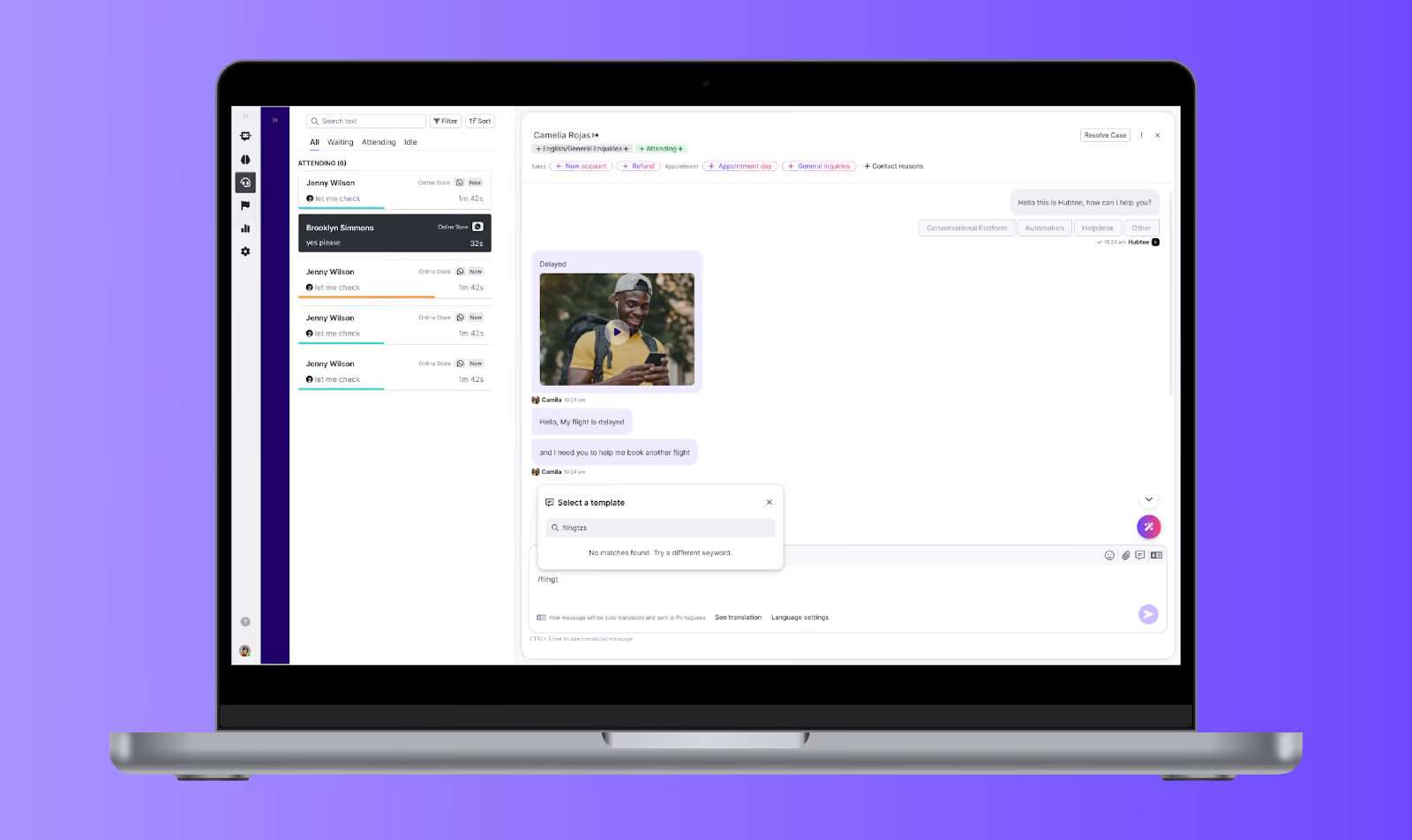
- Comando de barra oblicua para que las plantillas inserten respuestas en segundos: Hemos introducido un nuevo método abreviado de teclado para acelerar considerablemente el flujo de trabajo. Al escribir un barra oblicua (/) en el editor de mensajes, los agentes pueden buscar y seleccionar plantillas al instante, lo que reduce el tiempo de inserción de 30 segundos a solo 3 segundos. Este atajo te permite concentrarte en la conversación al eliminar los clics innecesarios.
Nota: Esta función requiere activación. Ponte en contacto con tu contacto de Customer Success para habilitarla.
⚡️ Mejoras
- Persistencia de preferencias de bandeja de entrada: La configuración de tu bandeja de entrada ahora permanece exactamente como la dejaste. De este modo, ya no tendrás que volver a configurar tu vista cada vez que vuelvas al Panel de control, sin dejar de centrarte en los casos que importan.
- Etiquetas de clasificación mejoradas en la bandeja de entrada: Hemos actualizado el menú desplegable de clasificación con etiquetas más claras, como «Tiempo de espera: el más largo/más corto primero» y «Tiempo de creación: el más reciente/más antiguo primero».
- Evolución de las respuestas rápidas: Tanto en Webchat como en el complemento Flow Builder, los botones ahora pueden funcionar como respuestas rápidas, lo que agiliza la experiencia del usuario al ofrecer opciones claras en las que se puede hacer clic y que desaparecen una vez seleccionadas.
- Restricciones de edición de correo electrónico: Para evitar errores de acceso, la opción de editar las direcciones de correo electrónico ahora está deshabilitada para los usuarios con la función de «Agente».
- Imagen de marca de webchat: Se agregó la insignia «Desarrollado por Hubtype» a la interfaz del chat web para mantener la coherencia de la marca en todos los puntos de contacto.
- Base de conocimientos y generador de flujos: Hemos sincronizado la interfaz en ambos módulos para crear un flujo de trabajo más intuitivo. La visualización de los fragmentos, los estilos de las listas y el comportamiento de desplazamiento ahora son idénticos, lo que facilita la navegación al pasar de la creación de flujos a la administración de datos.
- Generador de flujo refinado: El modal «Visualizar fragmentos» ahora presenta un diseño más limpio que es más fácil de leer de un vistazo.
- Herramientas mejoradas de la base de conocimientos:
- Nueva opción «Mostrar fragmentos extraídos»: Obtenga total transparencia en sus datos inspeccionando cada segmento individual de texto extraído de sus archivos fuente.
- Prueba de consulta interactiva: Hemos agregado un modal dedicado para simular consultas. Ahora puedes ver exactamente qué fragmentos de texto recupera la IA en tiempo real, lo que hace que depurar y refinar los conocimientos de tu bot sea mucho más rápido.
Interfaz de usuario compartida: Hemos sincronizado la interfaz de usuario en ambos módulos. La visualización de los fragmentos, los estilos de las listas y el comportamiento de desplazamiento ahora son idénticos, lo que proporciona una experiencia de usuario más intuitiva.