
✨ What's new?
Emoji reactions for WhatsApp
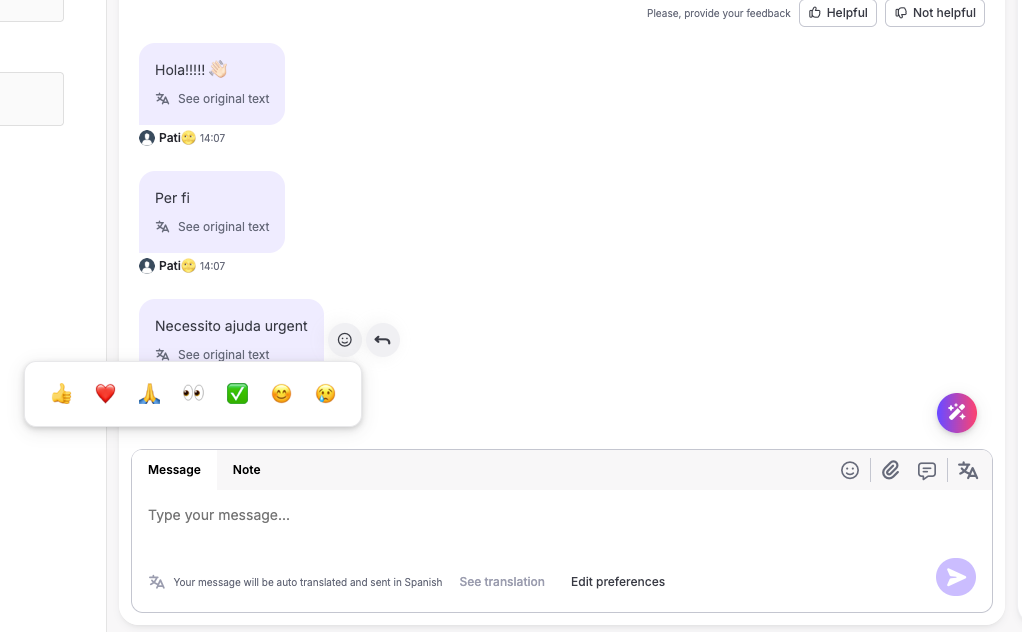
Agents can now react to WhatsApp messages with an emoji and see the reactions end users send, directly in Inbox.
How it works
There are 7 emojis to choose from: 👍 ❤️ 🙏 👀 ✅ 😊 😢. Only the agent who sent a reaction, or an admin, can change or remove it, so each reaction stays tied to the agent who sent it.
When an end user reacts to a message:
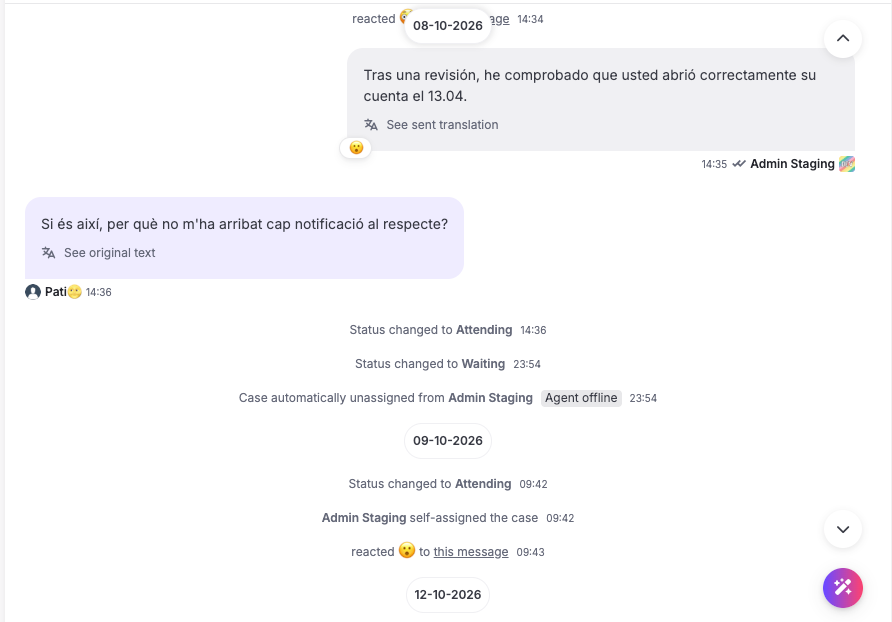
- The case in the Inbox list shows the emoji and "reacted to your message" with an unseen badge.
- The unread count, the case status and the SLA stay the same, since there's nothing new to reply to.
- If the customer takes their reaction back, that shows up too.
- Inside the conversation, the reaction shows up as a line in the middle of the chat. Clicking it opens the message the customer reacted to.
Why this matters
Not every message needs a written reply. Sometimes the customer just needs to know their message got through, like when they send a receipt or say thanks. A reaction does that in one click. And when a customer answers with a thumbs up, the agent sees it in the Inbox as a confirmation.
Who can use it
Emoji reactions are off by default, so each organization can choose whether its agents use them. To turn them on, contact support@hubtype.com.
Good to know: Meta pricing
Meta counts each reaction an agent sends as a service message and bills it at the rate for the customer's country. Reactions from customers are free.