
✨ What's new?
Introducing the new Campaigns
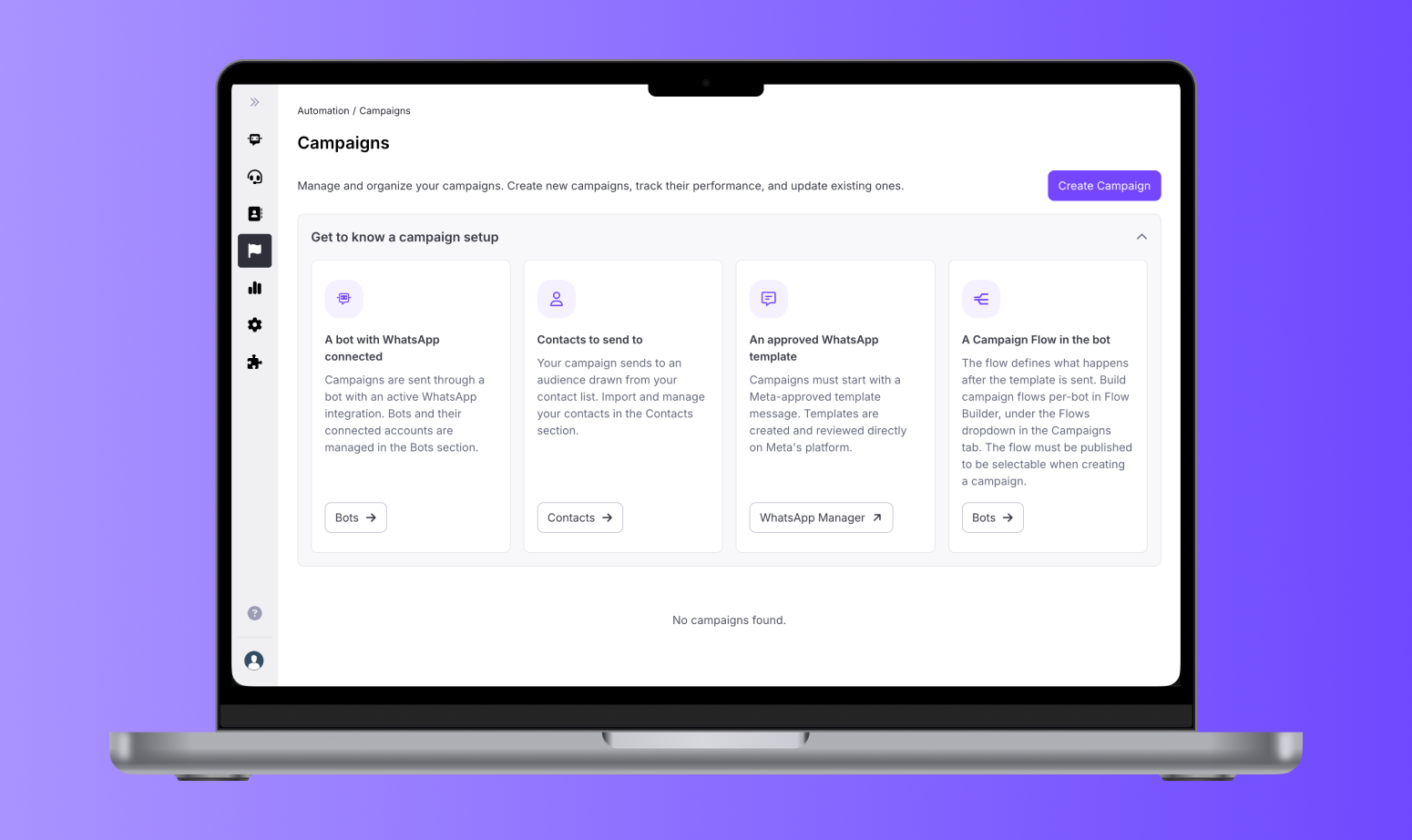
We've rebuilt Campaigns. Setting up a proactive WhatsApp campaign now takes you step by step through setup, launch, delivery, and results.
- A guided setup that never leaves you stuck
Creating a campaign now walks you through every prerequisite: a bot with WhatsApp connected, an approved template, a Campaign Flow, and an audience. If something's missing, Campaigns points you to it and links you to where you can fix it. Your progress is saved as a draft as you go.
- Precise audience targeting
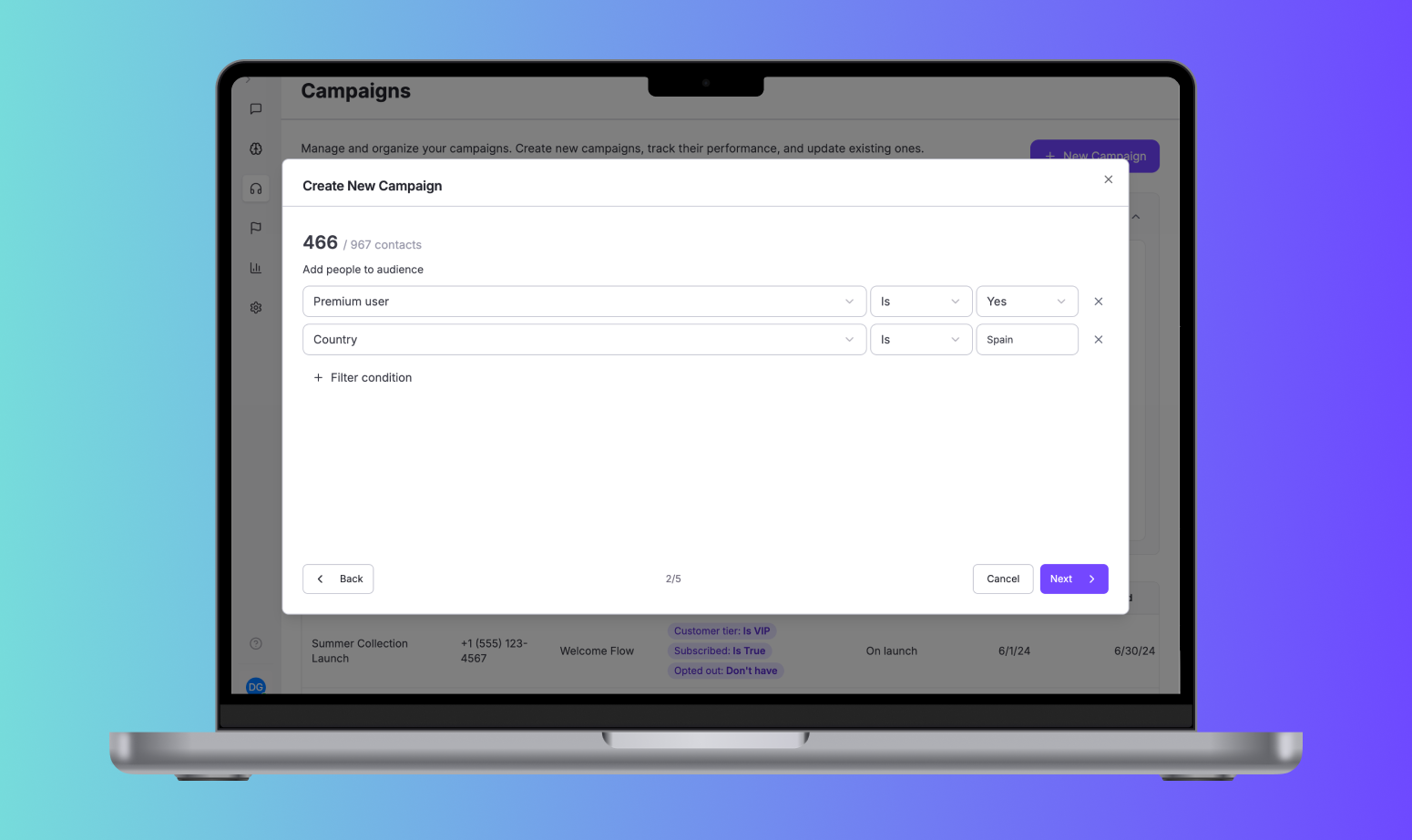
Build your audience with filters like country, customer tier, purchase history, or any contact field you track. The audience count updates as you add filters, so you know your reach before sending.
- Your own conversation flow after the first message
Every campaign starts from a Meta-approved template and then hands off to a Campaign Flow you build in Flow Builder. You control the opening message and everything that comes after it.
- Control over how and when you send
Send to everyone at once, or in batches to control volume over time. Campaigns can start when you launch them, or when a contact reaches a specific point in the flow.
- Clear performance at a glance
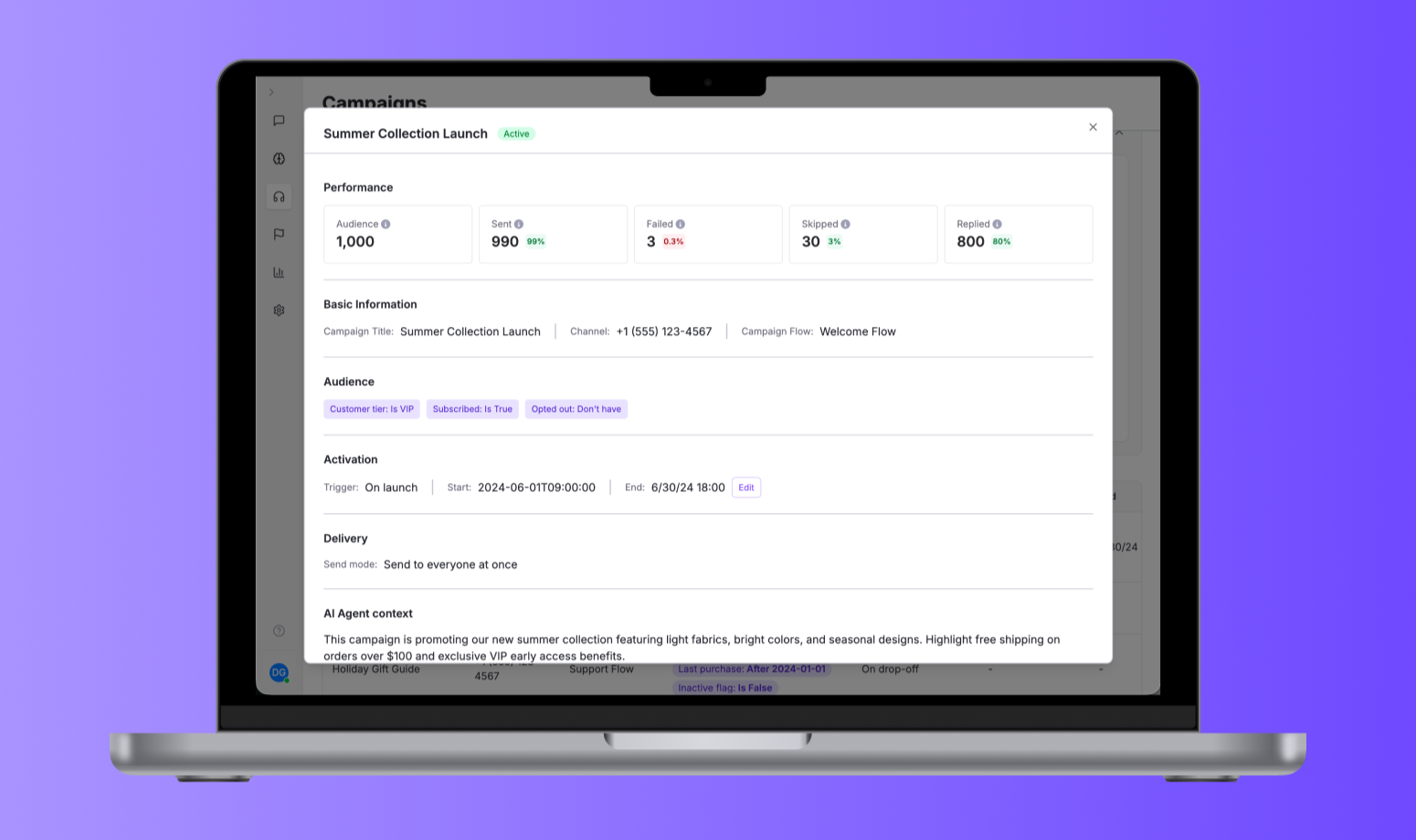
Once a campaign is live, see how many messages were sent, failed, skipped, and replied to, against the size of your audience.
Who can use it
Campaigns are available on request. To get it enabled for your organization, reach out to us at support@hubtype.com and we'll arrange a demo.
Learn more
See the Help Center for step-by-step guides on setting up, launching, and monitoring your campaigns.
⚡️ Improvements
Provider Account Name in exports
We've added the Provider Account Name to Conversation and Case Archive exports. Exports now show names instead of only a Provider or Channel ID, so you can identify which business phone number customers contacted.