
Agent-level real-time dashboards and an integrated Flow Builder preview
✨ What's new?
Realtime Dashboard Access for Agents
Agents can now access the Realtime Dashboard to view their own performance metrics and daily activity:
- Agents see only their own data (no access to other agents' metrics)
- CSV export available (limited to agent's own data)
- Full access to performance KPIs and customization options
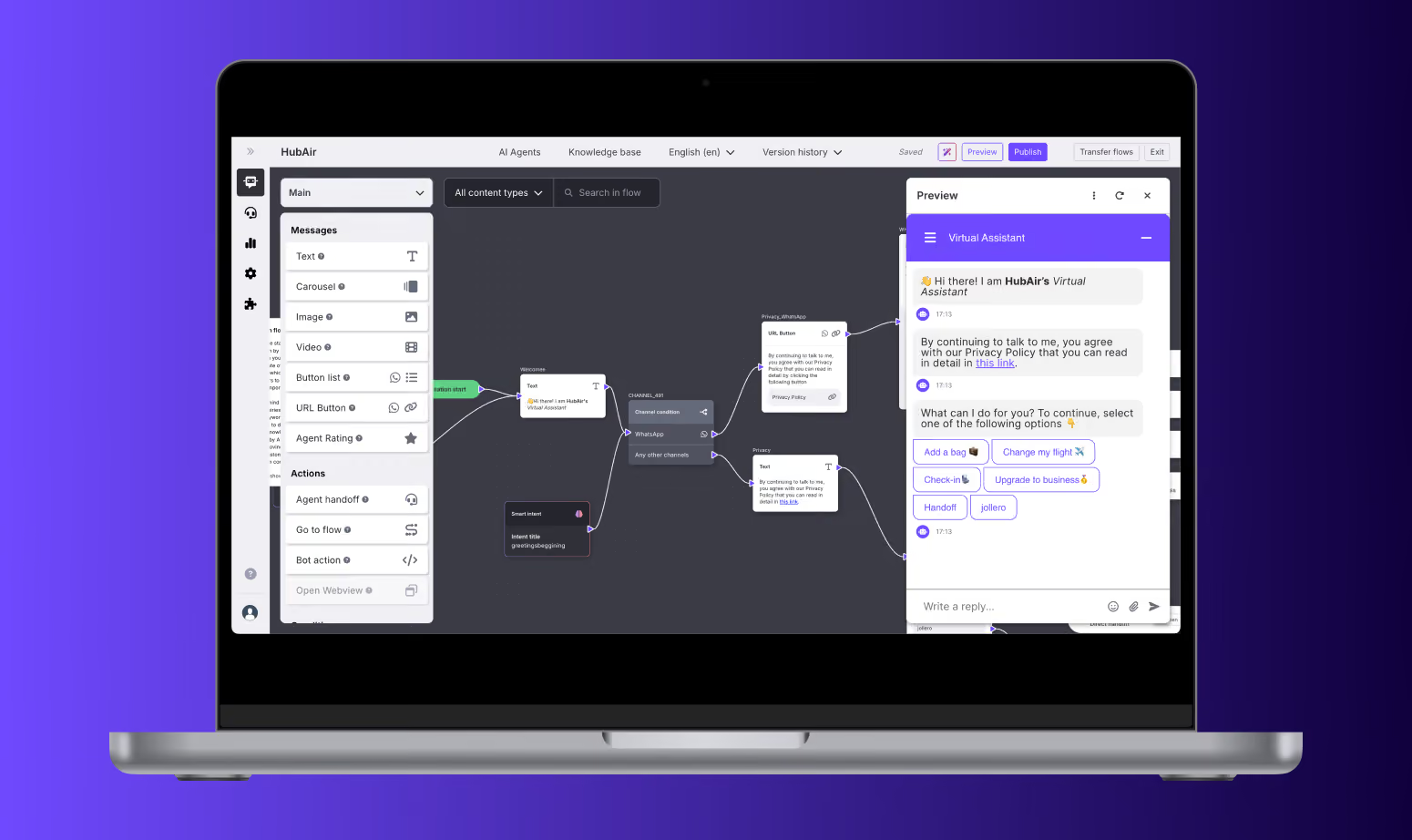
Preview integrated in the Flow Builder Interface
You can now test your chatbot flows live, directly within the Flow Builder interface. No more switching windows or guessing how the experience will play out—just click and preview the conversation exactly as your users would see it. This update brings a smoother and more efficient workflow to your prototyping and QA process. Whether you’re refining tone, logic, or layout, everything you need is now in one place.
The Preview panel is fully integrated into the Flow Builder UI, allowing you to move seamlessly between building and testing without losing your spot or your focus. It’s a cleaner, faster way to ensure every interaction feels just right—before you go live.
⚡️ Improvements
- Chat Scroll Navigation: A navigation arrow now appears in the top right margin of agent conversations, allowing quick return to the start of the latest conversation.
- Multi-Select for Queues & Projects: Realtime Dashboard now supports multi-select functionality for Queues and Projects filters, enabling more flexible data views.
- Language Field in Case Archive Export: Case Archive exports now include a Language column showing the detected conversation language.
- Country & Language Detection in Cases: Added Language and Country filters in Analytics Cases.