Flow Builder: Add Text & Text buttons
What is Text?
The text message is the content you should use when you want to add text into the conversational flow.
How to edit the Text
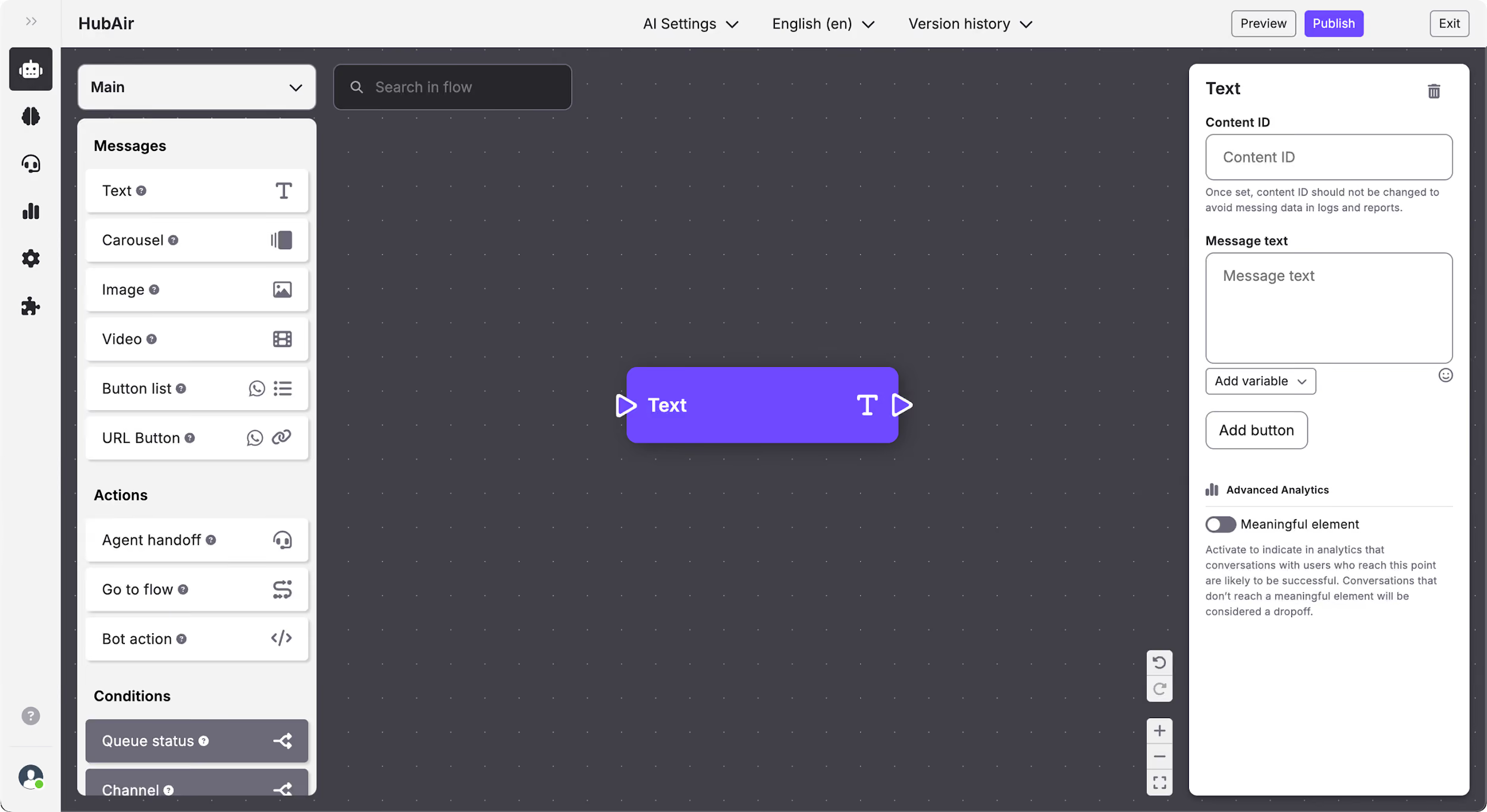
On the Text content you can edit:
- Content ID.
- Message text: Using text, emojis & variables.
- Add button: Here you can add the buttons you need (it is not recommended to include more than 5 or 6 buttons in Text content).
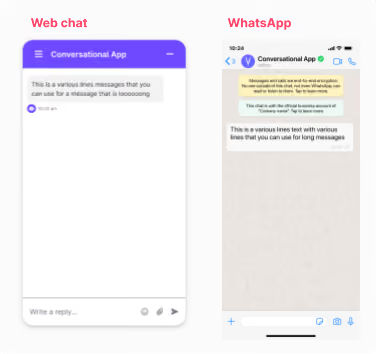
How the Text content is displayed in each channel
What are Text buttons?
In the Text content you can add buttons to show the end-user different options that, once clicked, will each follow different paths.
How to edit the Text buttons
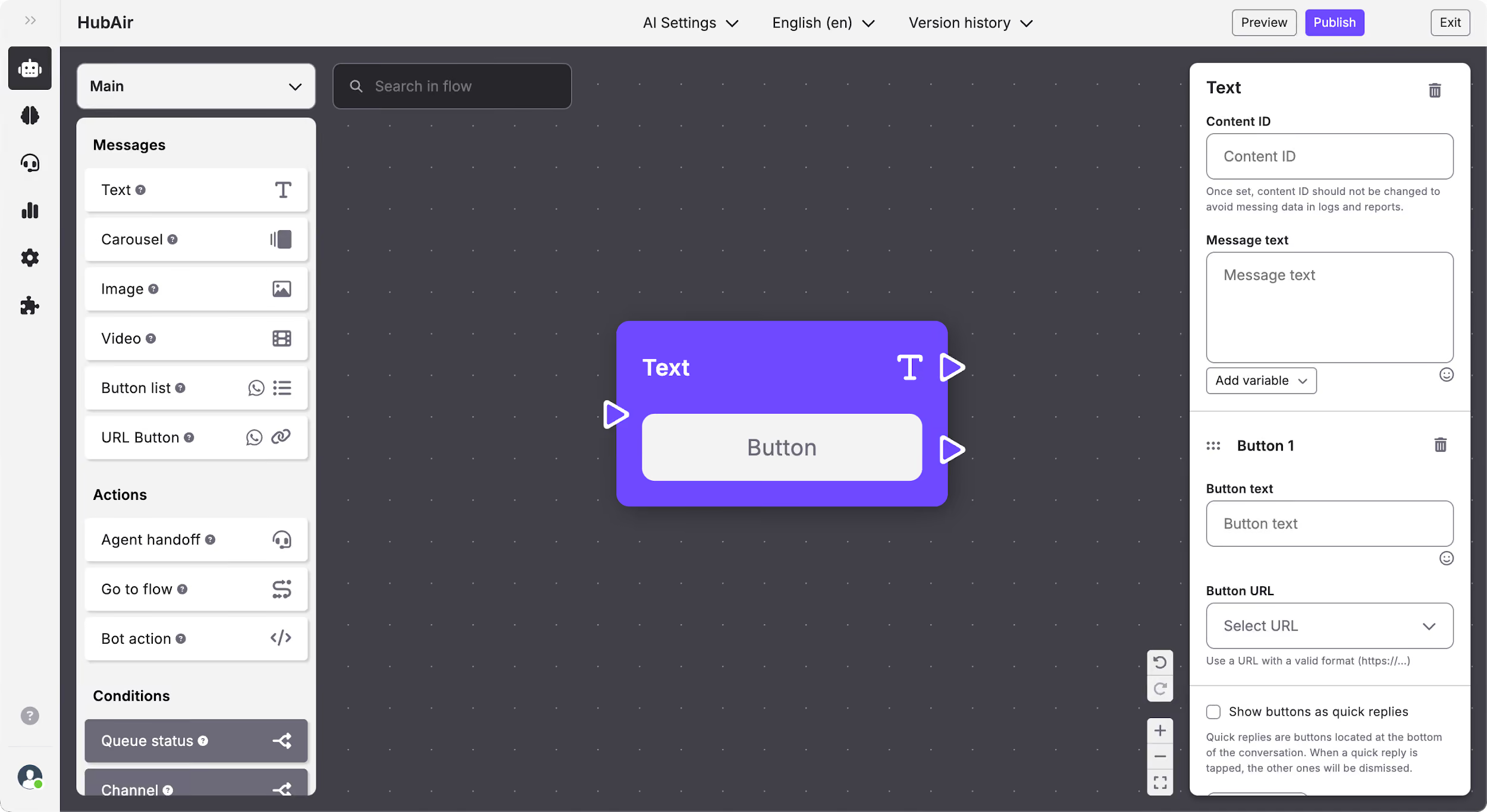
On the Text buttons you can edit:
- Button text: The text that appears on the button that the end-user will click on. You can use text and emojis.
- Button URL: Add a web address that you want to redirect the user to once they click on the button.
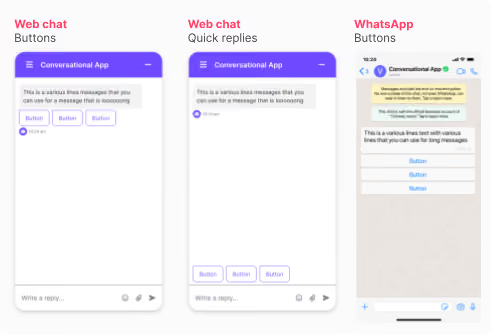
- Show buttons as quick replies: You can choose to show the buttons as quick replies, so they will appear at the bottom of the conversation screen. Bear in mind that this kind of button will disappear from the web chat once the user clicks on one of them.
Important: Quick reply buttons are available on web chat, Facebook, Twitter & Telegram. On WhatsApp all kinds of buttons will be displayed as buttons.
How the Text buttons are displayed in each channel