
✨ What's new?
- Audio Transcripts for WhatsApp: Hubtype now automatically creates text transcripts for all incoming audio, saving them directly in the message history. This means your Keywords, Smart Intents, and AI Agents can now process audio inputs as if they were text, ensuring your automation stays smart and your agents stay fast.
- Choose Your AI Model & Verbosity: We are giving you more control over your bot’s brain. You can now select your preferred LLM: choose between gpt-4.1-mini, gpt-5-mini, or gpt-5.2-chat, directly from the Instructions tab.
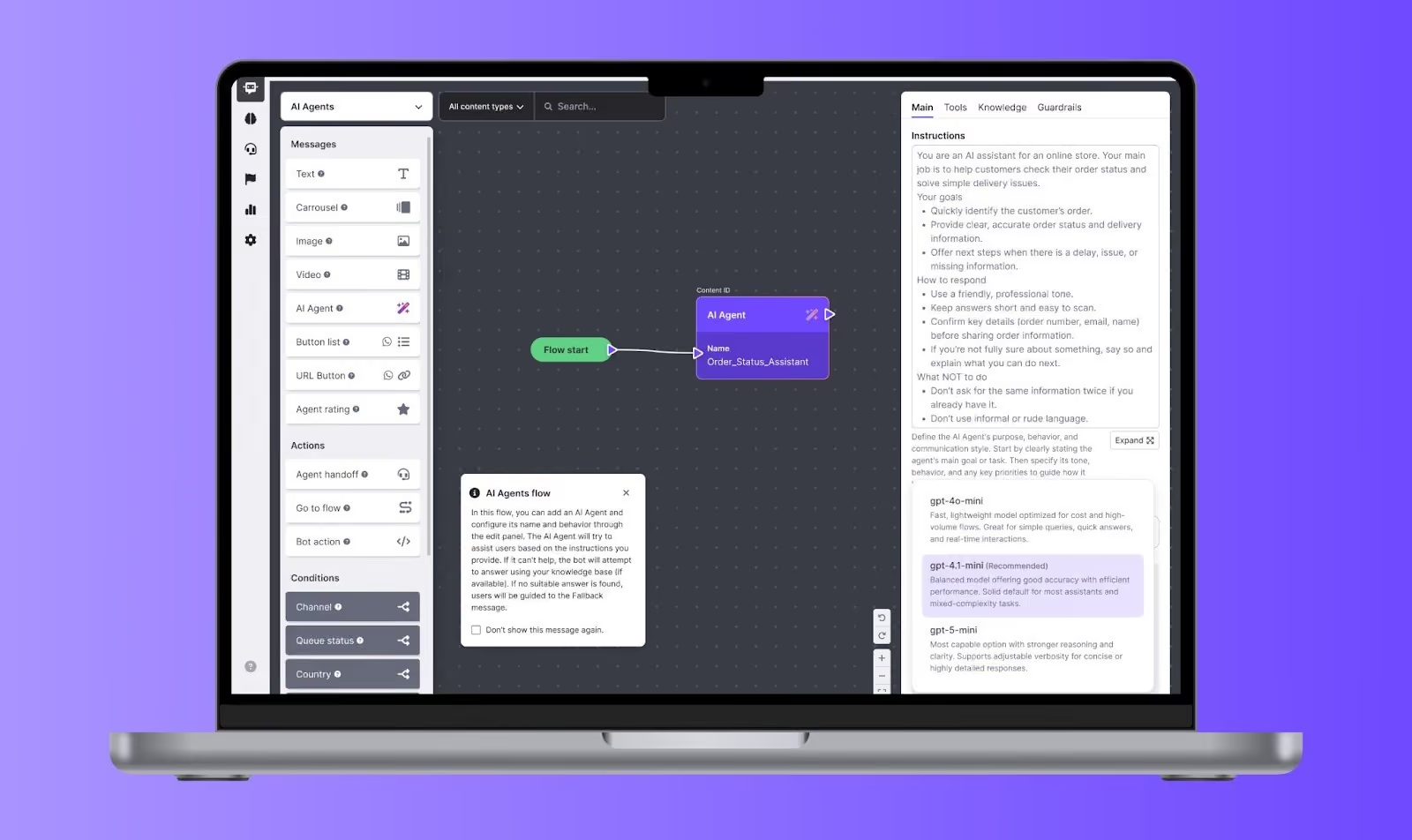
- New Verbosity Control: For the gpt-5-mini model and gpt-5.2-chat, we've added a new setting that lets you set the Verbosity Level (Low, Medium, or High). Now you can decide if you want short and punchy answers or detailed, explanatory responses to fit your brand's voice.
- Enhanced Privacy - Admin Delete: To help you stay compliant with privacy requests, we’ve empowered Admins to delete all content associated with a specific end-user, including messages, files, and attachments. This action includes full audit traceability so you always know who performed the deletion.
- External Case Management (API): We’ve opened up new ways for developers to manage cases programmatically via our External API. You can now:
- Resolve: Mark cases as solved from external systems.
- Discard: End cases while specifying if the action was triggered by the system or the end-user.
- Contact Reasons: Add specific tags to cases via API to ensure your categorization remains consistent across all platforms.
⚡️ Improvements
- Formal AI Translations: We’ve refined our AI Translation engine to better support brand consistency. Translations now maintain a formal register ensuring professional interactions at all times.
- Go-to-Flow Redirects: We resolved an issue where components failed to redirect to AI Agents unless specifically triggered by a button. Logic flows now transition as expected.
🛠️ Bug Fixes
- Contact Reason Glitch: Fixed a UI flickering issue in the Contact Reason selector to ensure a more stable experience when Categorizing cases.
- Automation Metrics Date-Picker: Resolved a technical error in the Automation Metrics dashboard where the date-picker was preventing graphs from loading correctly.