
✨ What's new?
Capabilities tab in Organization Settings
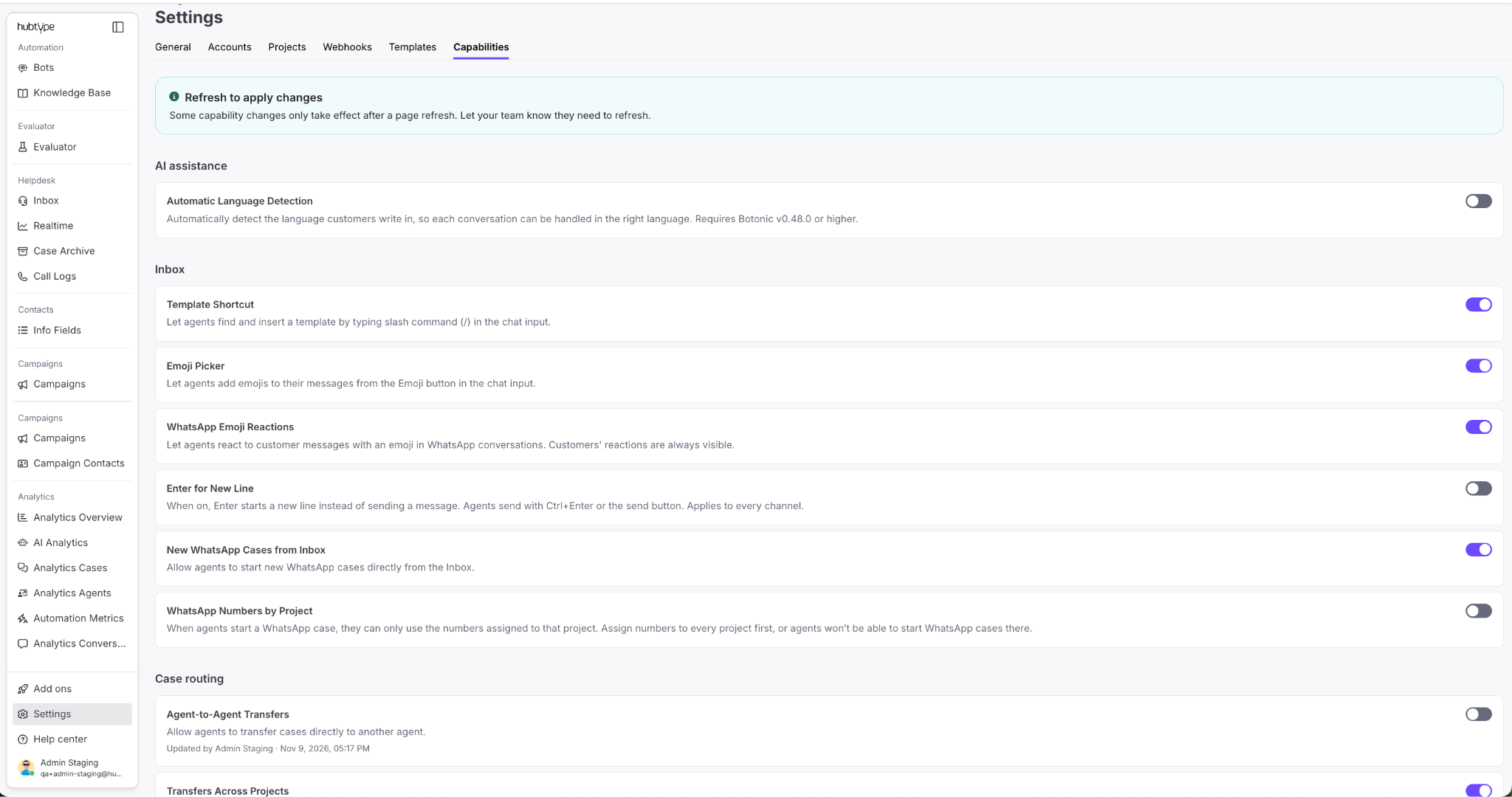
Admins can now turn capabilities on from Organization Settings.
How it works
The Capabilities tab groups the capabilities available to the organization by category. Each capability shows a description, functionality context, and a toggle.
Turning a capability on opens a confirmation dialog. Once confirmed, the list shows who enabled it and when.
Why this matters
Enabling a capability no longer depends on a support ticket, so it happens when the team needs it.
The record of who enabled each one keeps the configuration traceable when several admins manage the same organization.
Bulk case discard for Waiting queue
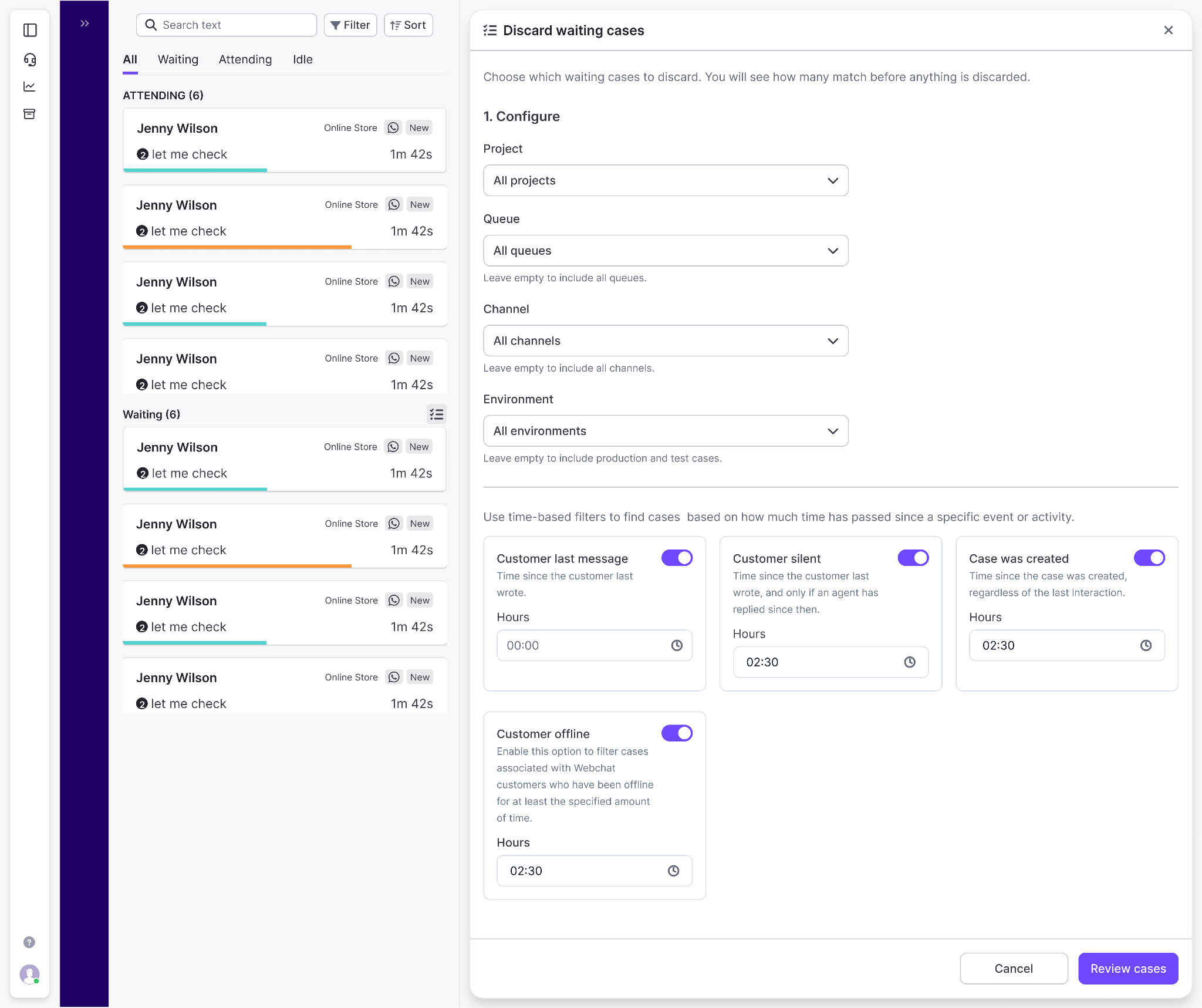
The Waiting queue now has a bulk action to close large volumes of cases at once, without opening them one by one. Just for admin role.
How it works
The action opens from the Waiting section header. It takes a set of filters, project, queue, channel, and a minimum waiting time, and returns how many cases match them. That number is the scope of the action, visible before confirming anything.
Confirming closes those cases in the background. Each case gets the message configured in its channel's flow. On WhatsApp, if the customer has not written for more than 24 hours, that message has to be a template. All of them are tagged with the contact reason discarded_by_bulk and none triggers a satisfaction request to the customer. The cases stay available in Case Archive and Analytics, where that contact reason works as a filter.
Two things need to be in place first:
- The close action message, configured and published in the required handoff nodes in Flow Builder.
- Botonic 0.58, the version that makes that message configurable.
Why this matters
Queues that pile up during peak traffic can be cleared without going case by case. The dedicated contact reason and the skipped rating keep these closures from mixing into agent performance and satisfaction data.
Received and Read metrics in campaign summaries
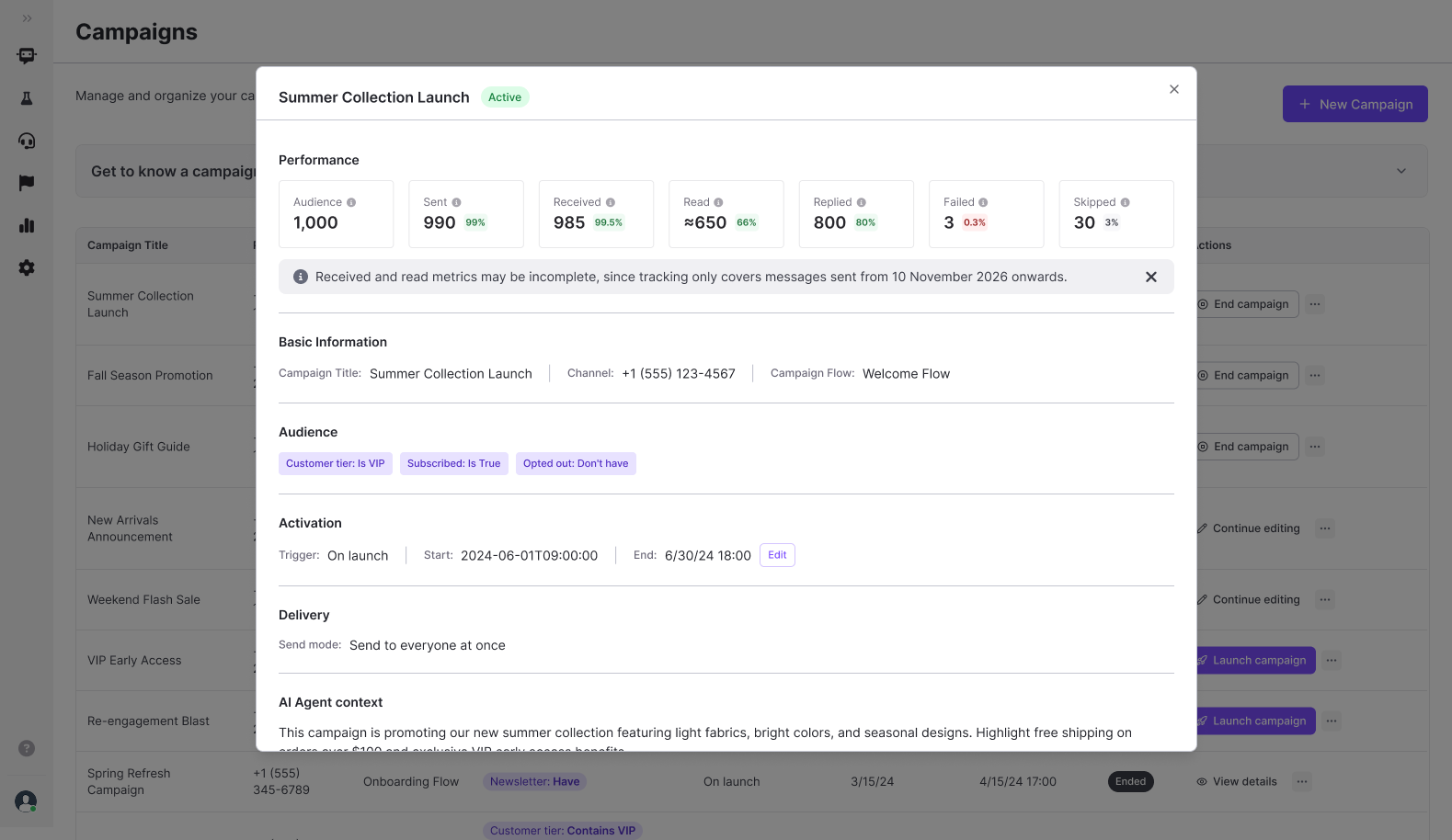
We’ve added Received and Read to the Performance section of campaign summaries.
Managers and admins can now see how many messages reached WhatsApp contacts and how many were read, as a total and as a percentage of the campaign audience.
WhatsApp Flow responses in the conversation
You can now see the answers customers submit in a WhatsApp Flow form.
The responses appear in the chat history in Inbox, Case Archive and Analytics Conversations, with each form field next to the value the customer entered.
Session variables and Contact Info fields from Flow Builder
Admins can now update or clear session variables and Contact Info fields from a node in Flow Builder, so a value captured earlier in the conversation can be corrected or removed while the conversation is still running.
⚡️ Improvements
Project and queue search in Transfer Case
We’ve redesigned the Transfer Case modal in the Inbox.
Agents can now search by project name and queue name at the same time, instead of picking the project first, across every project they have access to.
From the results they choose whether to assign the case to a specific agent or move it to Waiting.
Open link icon in the Contact Info panel
You can now click an Open link icon next to URL fields in the Contact Info panel.
Clicking it opens the link in a new browser tab, without entering edit mode first.
Two templates for WhatsApp Call permission requests
Agents can now pick one of two pre-approved templates, in the customer’s language, when they send a Call Permission Request from the Inbox header.
This lets them choose the message that fits the conversation before asking the customer for permission to call.
Audio transcripts on by default
We’ve turned on speech-to-text transcription for incoming voice messages in every organization.
Keywords, Smart Intents and AI Agents read voice messages as text the same way they did before, with no feature flag to request.
🛠️ Bug Fixes
Campaign delivery with phone-only contact imports
We fixed an issue that stopped campaigns from being delivered when the contact file had only the Phone number column. Admins can now import contacts without filling in Channel ID.
Image captions in Webchat
Agents can send an image with a caption again in Webchat conversations, and customers see both the image and the text that came with it.