
Release notes
Last release note
✨ What's new?
Emoji reactions for WhatsApp
Agents can now react to WhatsApp messages with an emoji and see the reactions end users send, directly in Inbox.
How it works
There are 7 emojis to choose from: 👍 ❤️ 🙏 👀 ✅ 😊 😢. Only the agent who sent a reaction, or an admin, can change or remove it, so each reaction stays tied to the agent who sent it.
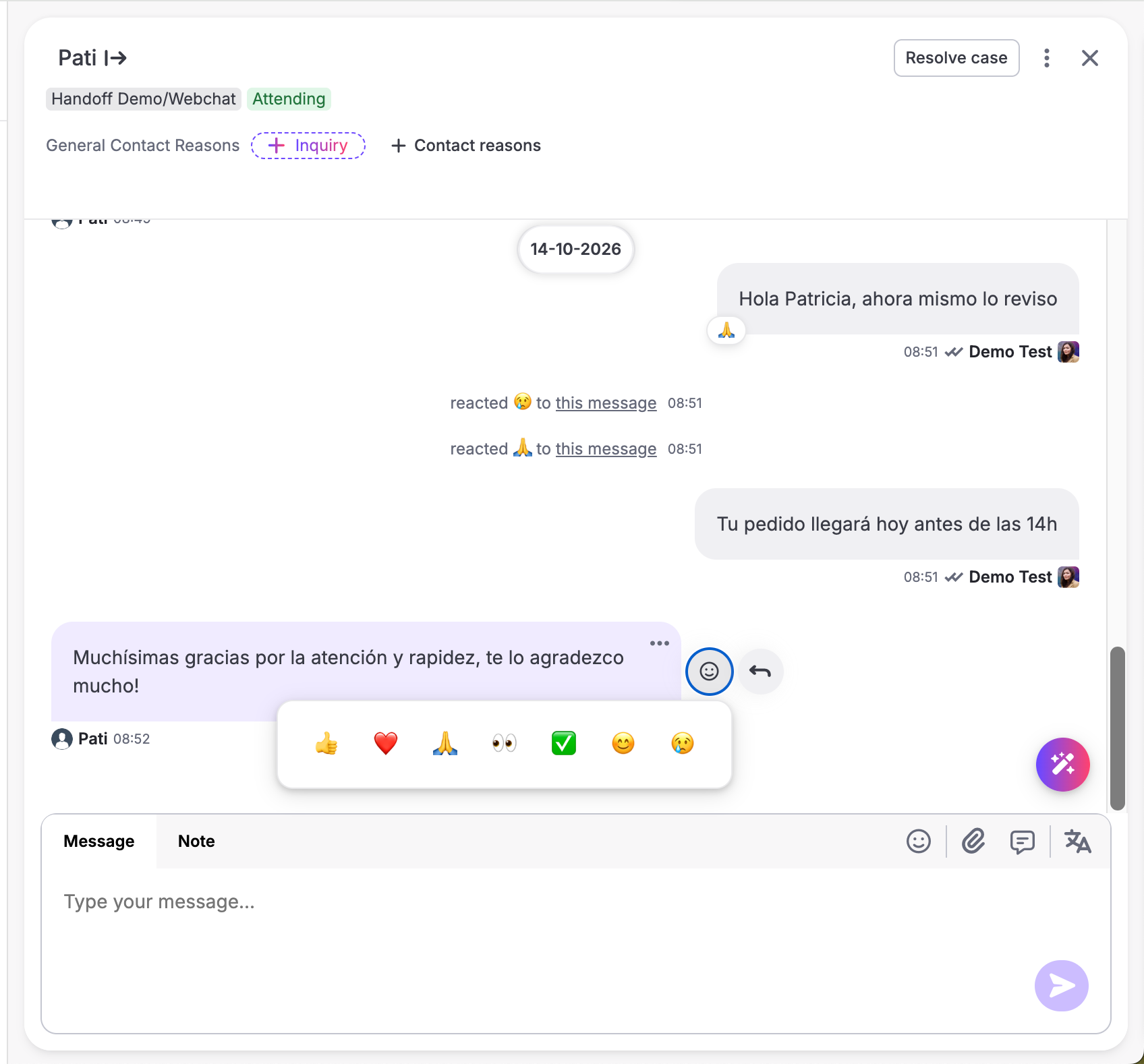
When an end user reacts to a message:
- The case in the Inbox list shows the emoji and "reacted to your message" with an unseen badge.
- The unread count, the case status and the SLA stay the same, since there's nothing new to reply to.
- If the customer takes their reaction back, that shows up too.
- Inside the conversation, the reaction shows up as a line in the middle of the chat. Clicking it opens the message the customer reacted to.
Why this matters
Not every message needs a written reply. Sometimes the customer just needs to know their message got through, like when they send a receipt or say thanks. A reaction does that in one click. And when a customer answers with a thumbs up, the agent sees it in the Inbox as a confirmation.
Who can use it
Emoji reactions are off by default, so each organization can choose whether its agents use them. To turn them on, contact support@hubtype.com.
Important to know: Meta pricing
Meta counts each reaction an agent sends as a service message and bills it at the rate for the customer's country. Reactions from customers are free.
Use Contact Reasons in your Flow Builder conditions
Contact Reasons can now be selected as a condition in Flow Builder. After a handoff, the bot can check why the customer talked to an agent and respond based on that.
Why this matters
Customers get a follow-up that matches their case. For example, the bot can show a specific satisfaction survey or continue the conversation differently depending on the Contact Reason. Before, this needed custom logic in each bot.
⚡️ Improvements
Create different flows depending on how a handoff ends
Flows can now respond differently depending on who discarded the case: the customer, the agent or the system.
Why this matters
Not every handoff ends for the same reason, so one follow-up doesn't fit every case.
For example, the bot can follow one path when a customer leaves the conversation and a different one when an agent closes the case.
Trigger different experiences when a new conversation starts
Bots can now detect when a customer starts a new conversation and use that in their logic.
Why this matters
This gives more control over the beginning of each conversation.
When a customer comes back, the bot knows it's a new conversation. So it can show a welcome message, reset specific information, or trigger a different action. Before, this needed custom logic in each bot.
🛠️ Bug Fixes
More reliable media messages
We fixed an issue that could stop images or videos from being sent when their original source was temporarily unavailable. They're now delivered more reliably when the external URL has occasional issues.