
✨ What's new?
Apply one queue's schedule and exceptions to other queues
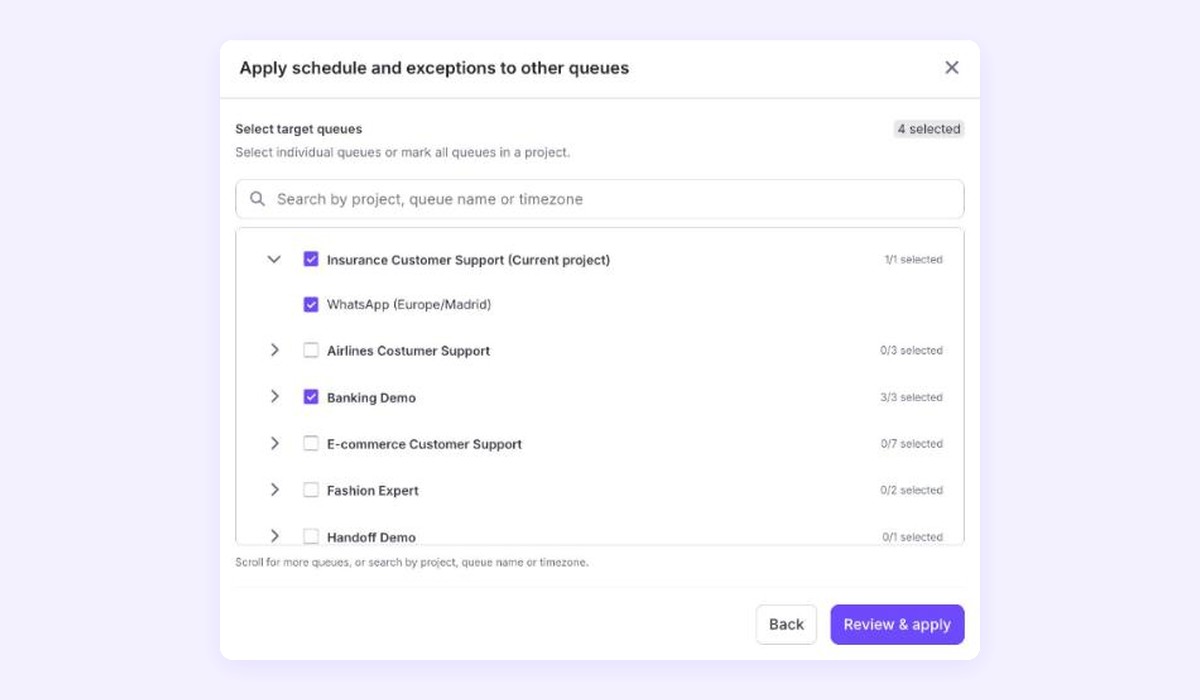
We've added a way to copy a queue's weekly schedule and exceptions to other queues, so holidays are set up once instead of queue by queue.
How it works
- In a queue's settings, Apply schedule to other queues copies the weekly schedule, the exceptions, or both.
- Admins and managers choose from the queues they have access to, one by one or a whole project, and review before confirming.
- The copied sections replace the same sections in the selected queues. Each queue keeps its own timezone and Status Mode.
Why this matters
Teams with many queues no longer add the same holiday to each one by hand.
Get started: Open a queue's settings and choose Apply schedule to other queues.
Keep cases assigned when agents go offline
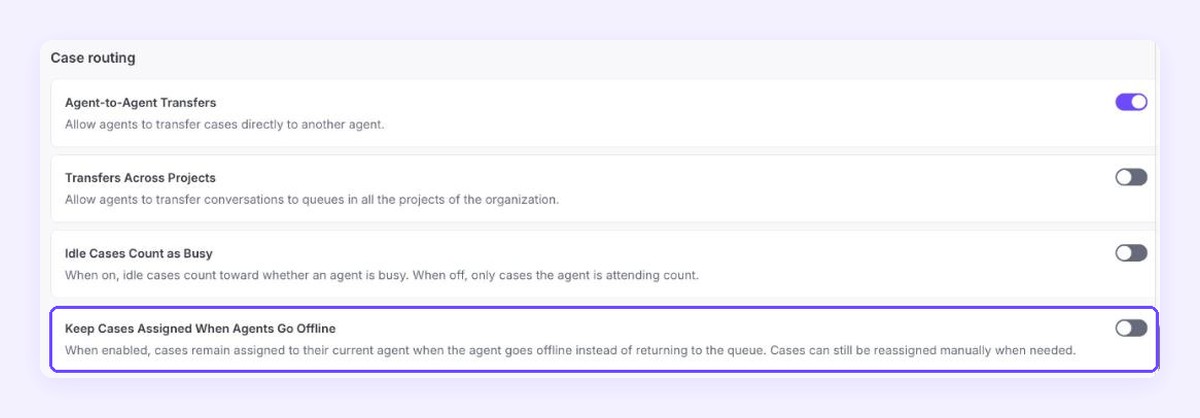
We've added a new capability, Keep Cases Assigned When Agents Go Offline, so cases stay with their agent instead of returning to the queue.
How it works
- Admins turn it on in Settings → Capabilities, under Case routing.
- When it's on, cases stay assigned to their agent when the agent goes offline.
- Cases can still be reassigned by hand at any time.
Why this matters
Conversations stay with the agent who owns them, even after a disconnection.
Download a campaign report
You can now download a report for any active or ended campaign, with results for each contact.

How it works
- Report sits next to Performance in the summary of active and ended campaigns.
- The report is prepared in the background and downloads when it's ready.
- It's a snapshot of the campaign at the moment it's generated.
Why this matters
Teams can analyze each contact's results in their own tools, share them with stakeholders, or keep a record of campaign performance outside Hubtype.
Get started: Open an active or ended campaign and click on Report.
Good to know: Received and read metrics may be incomplete for campaigns sent before 10 November 2026, since tracking only covers messages sent from that date onwards.
⚡️ Improvements
Repeat exceptions every year
Queue exceptions now have an Apply every year switch, so fixed holidays like Christmas don't need to be added again each year.
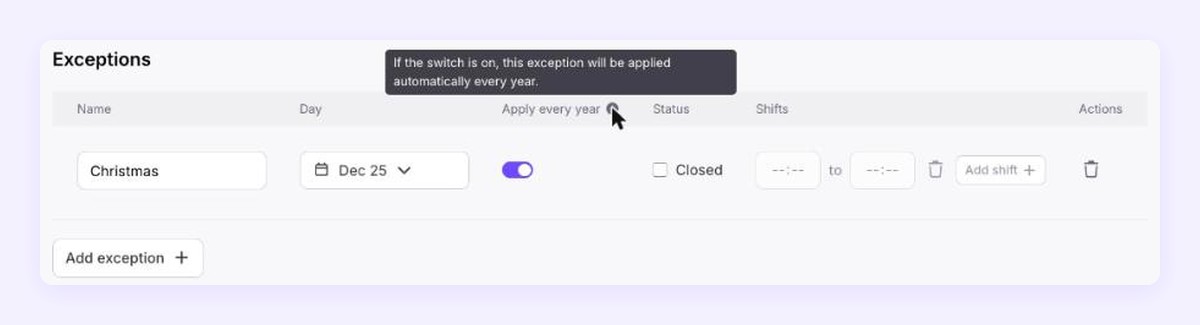
- Exceptions saved earlier keep their year until the switch is turned on.
- Leave it off for holidays that move, like Easter: the exception applies only to its date.
Get started: Open a queue's settings and go to Exceptions.
Clearer queue status
Queue status now has three options: Always open, Always closed and Scheduled. Always open and Always closed replace Manual, so the status is clearer.
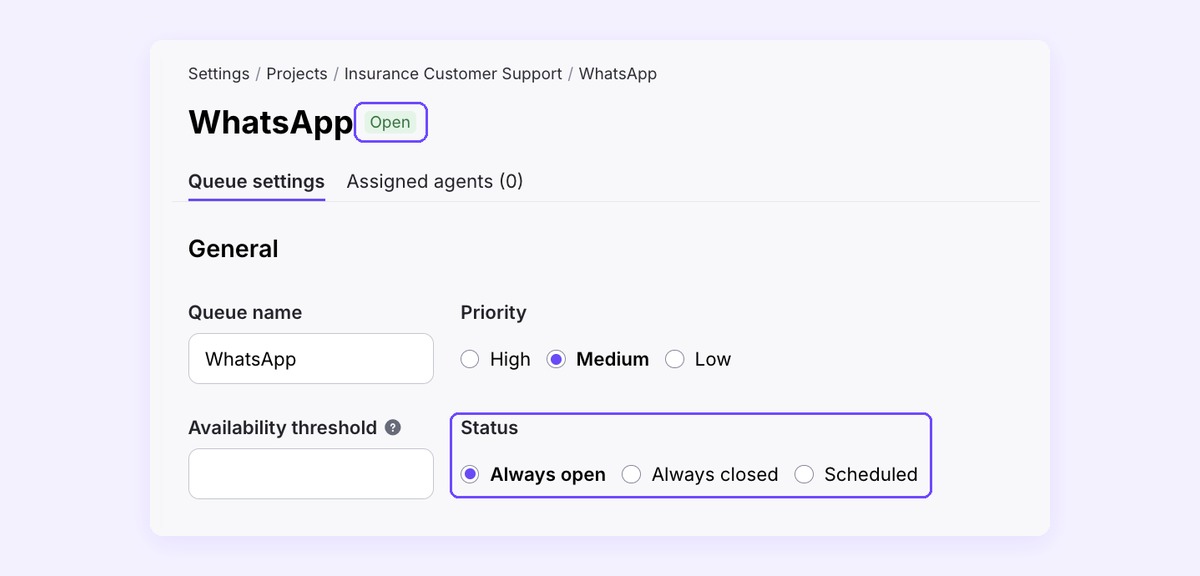
- Queues that were on Manual now show as Always open or Always closed, as they were. A closed one stays closed until its Status is set to Scheduled.
- Only Scheduled queues use the weekly schedule and exceptions.
Get started: Open a queue's settings and check Status.