
Discard waiting cases
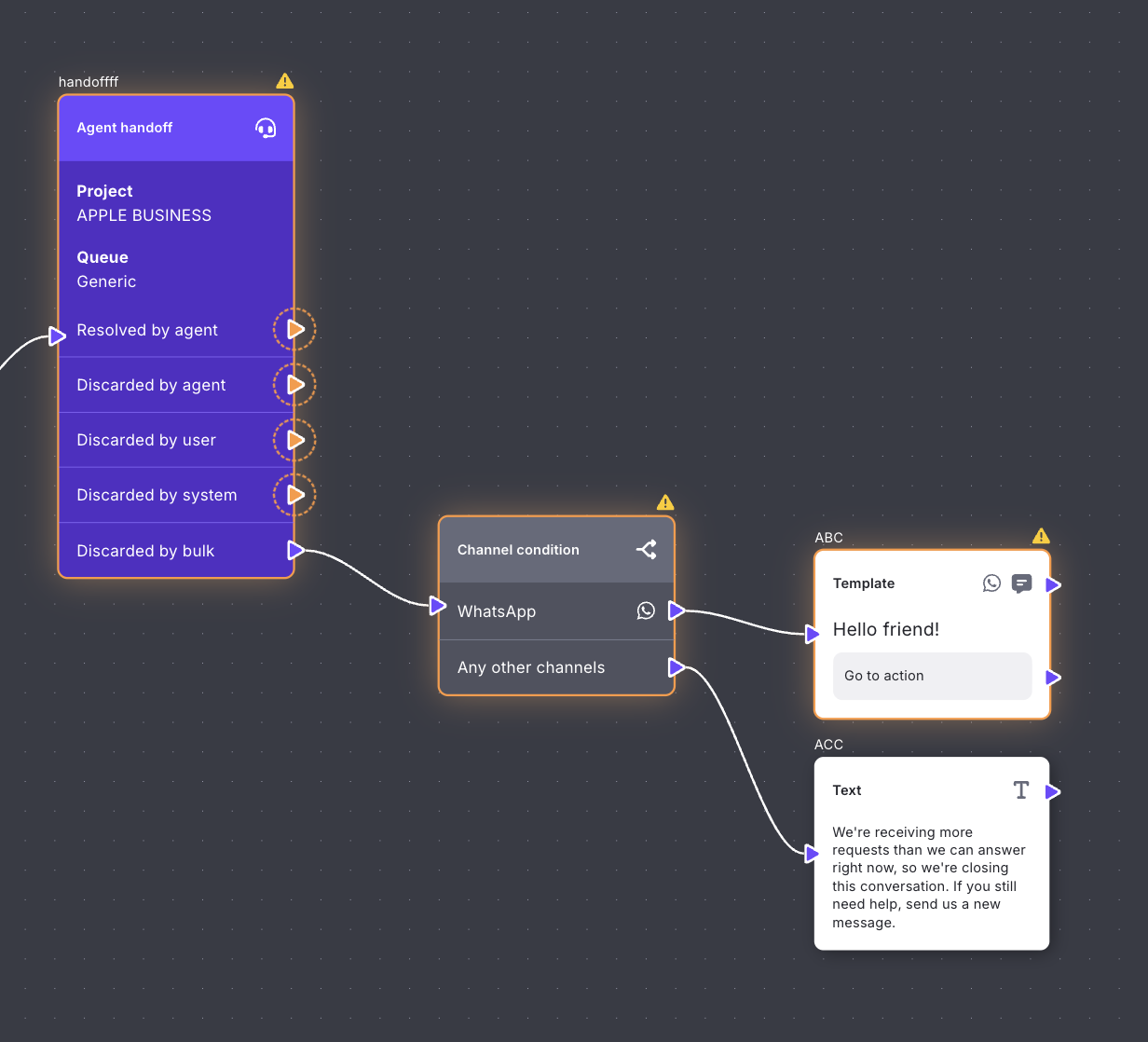
Discard waiting cases closes a group of cases that are still in Waiting, without opening each one. Customers receive the message you set on the Agent handoff in Flow Builder for that conversation.
Who can use it
Only admins. The control appears on Waiting.
How to discard waiting cases
- Open Inbox and go to Waiting.
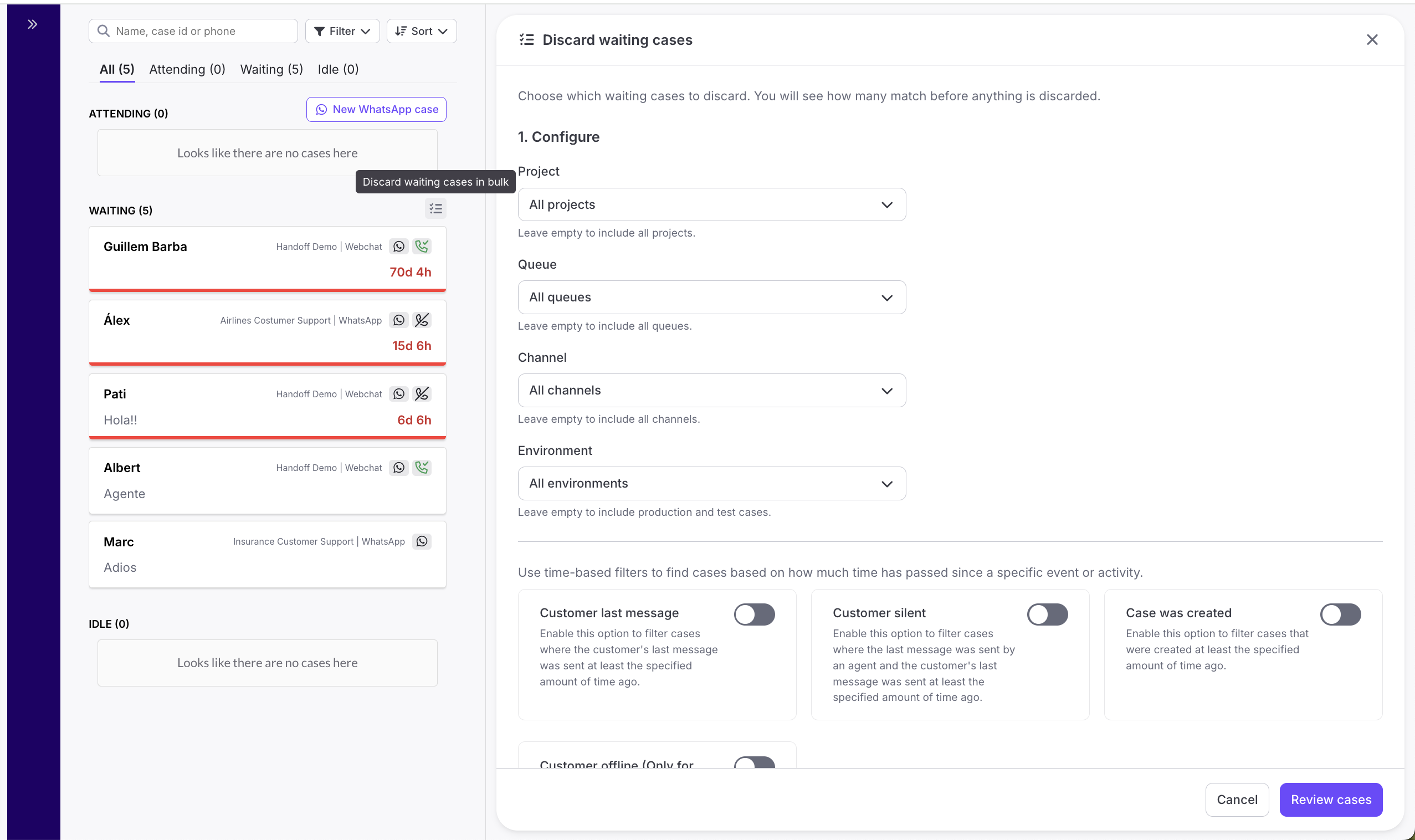
- Select the icon Discard waiting cases in bulk.
- Narrow the list with Project, Queue, Channel, or Environment. Leave a filter empty to include all of them. Environment can be Production or Test.
- Turn on a time filter if you want cases older than a time you set. Use HH:MM or DD HH:MM, for example 02:30 or 1 00:40.
- Select Review cases.
- Check the count, then select Discard selected cases.
What to expect
You filter waiting cases whose last customer message was at least a day ago. The review shows how many match, grouped by channel and by queue. After you confirm, those cases leave Waiting over the next few minutes. You can close the panel and keep working.
Good to know
- The close type is Discarded by bulk.
- Each case is checked again right before it is discarded. If it is no longer waiting, or a call is in progress, it is skipped.
- If Hubtype cannot start, no cases are discarded. You see We couldn't start discarding. No cases were discarded. Check your connection and try again. Select Try again.
- If nothing matches, you see No waiting cases match these filters.
- To find these cases later, filter by contact reason discarded_by_bulk in the Case Archive or in Analytics.
FAQ
What does the customer see?
The message that was set up in Flow Builder, on each Agent handoff node.
Can I keep working while cases close?
Yes. Cases are discarded in the background and leave Waiting little by little.
Which time filters can I use?
- Customer last message: the customer's last message was at least that long ago.
- Customer silent: the last message was from an agent, and the customer's last message was at least that long ago.
- Case was created: the case was created at least that long ago.
- Customer offline (Only for Webchat cases): the customer has been offline for at least that long. This applies to Webchat only.